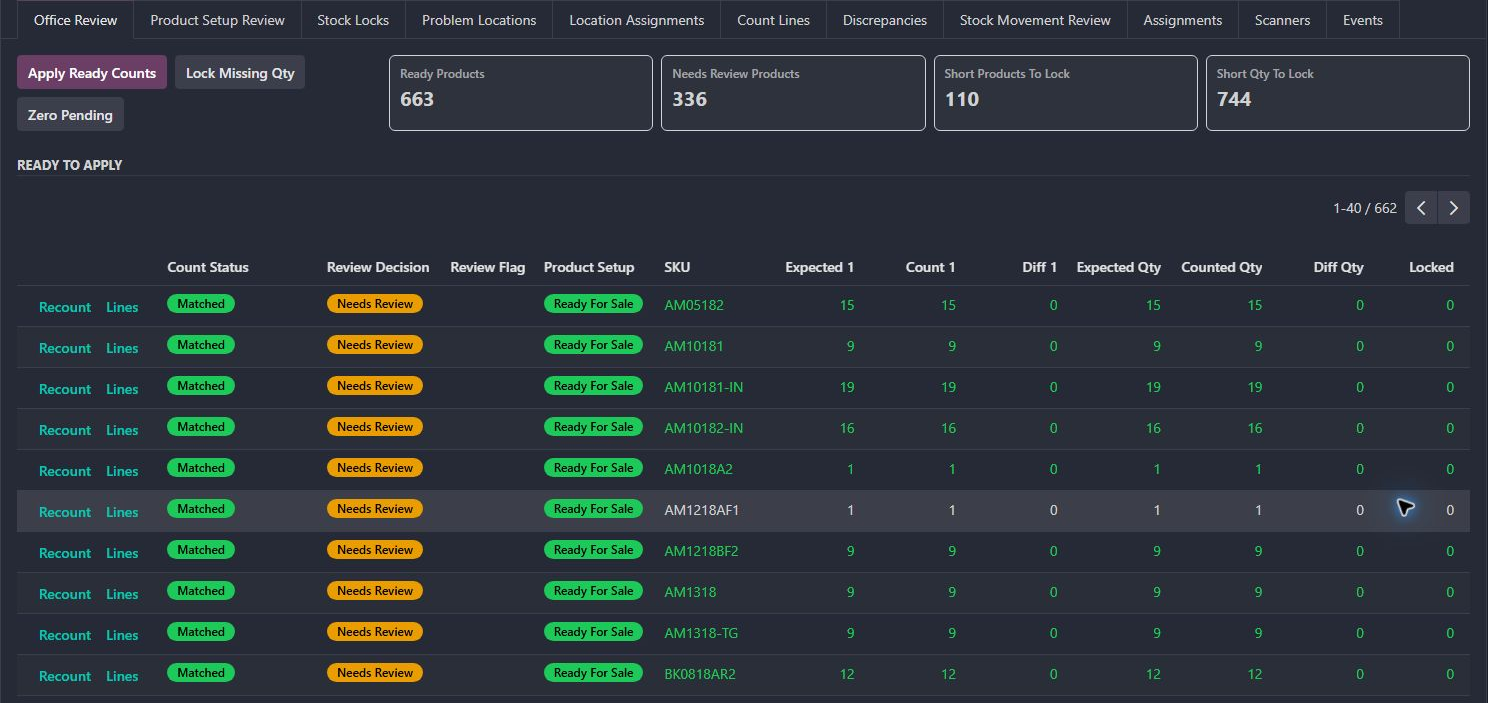
Inventory count review
The count is one part of a larger control loop: assigning the work, recording what was observed, investigating movement and deciding which stock can be trusted.
Start with our most substantial inventory, returns, finance and purchasing systems. Then explore the connected workflows and smaller refinements across six business areas.
Explore the major systemsFrom the first assignment or request to the decision and its follow-up, these systems connect the work across teams.
The count is one part of a larger control loop: assigning the work, recording what was observed, investigating movement and deciding which stock can be trusted.
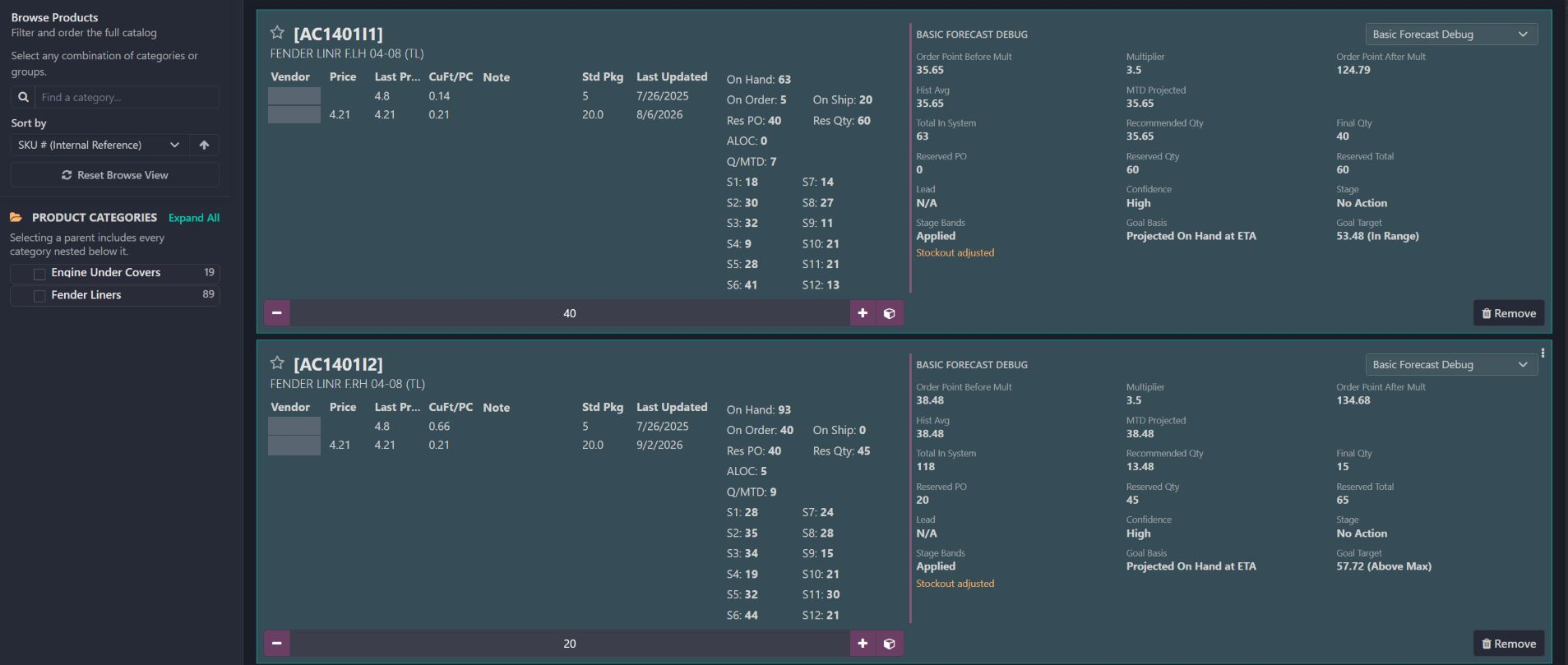
A purchasing workspace that connects product-level demand, supplier choices, commitments and arrivals to explainable order recommendations. Explore the real catalog panels, follow one SKU’s calculation and see how new purchasing, reserve calls and reserve replenishment work together.
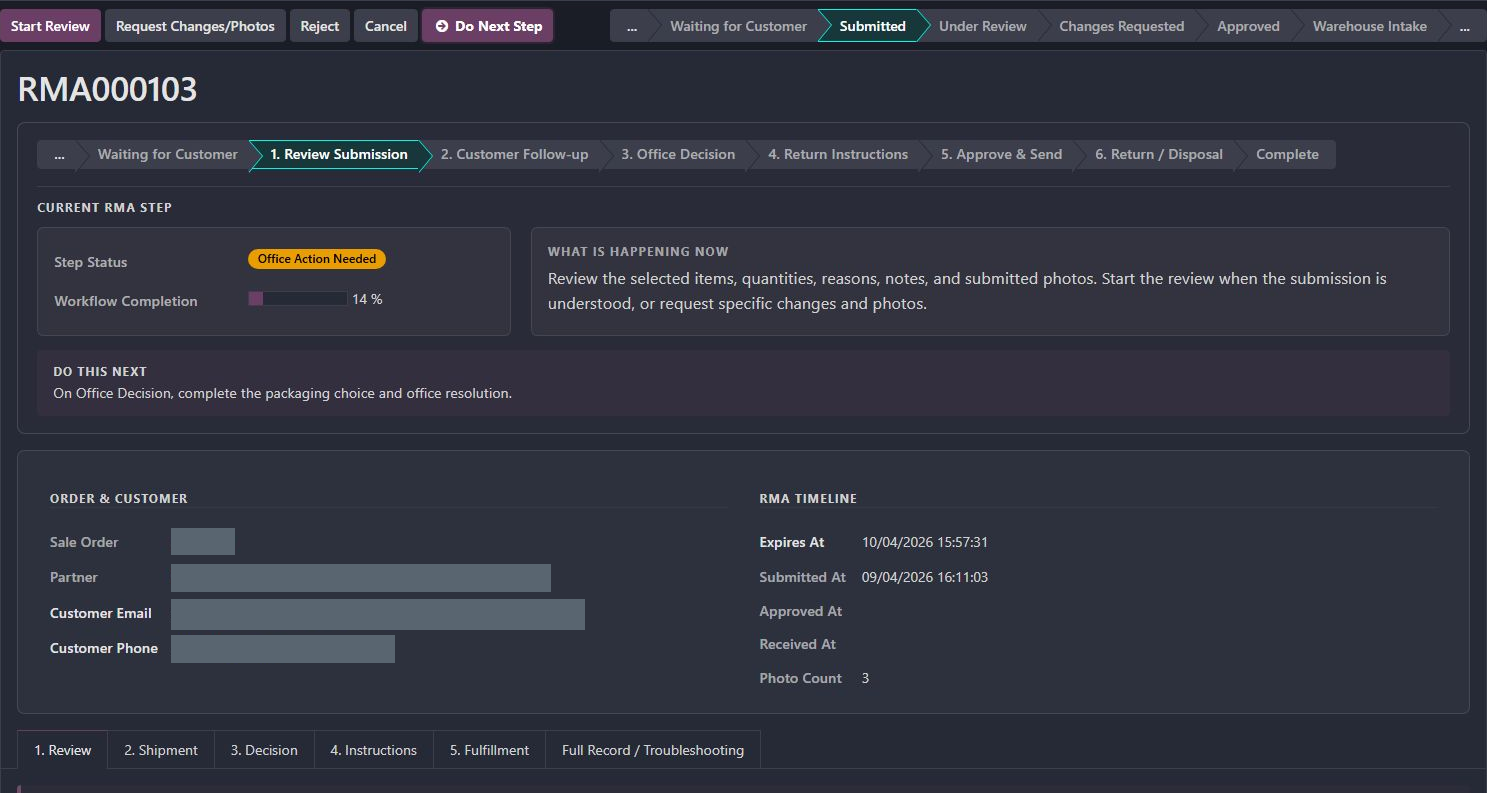
A return crosses the customer, sales office and warehouse. The custom workflow keeps evidence, eligibility, approval, physical arrival and resolution connected while allowing each team to own its decision.
Warehouse teams need a shared view of stock, exceptions, and the next handoff. These workflows connect counting, availability, returns, and dispatch.
Gives supervisors a review step between a physical count and the inventory adjustment.
Explains how allocations, incoming shipments and supplier-held reserve affect the stock available for future demand.
Carries the approved return, customer evidence, and intake instructions into the warehouse receipt.
Preserves container identity through receipt, backorder and putaway.
Makes the payment decision part of the order-to-dispatch handoff.
Checks stock at the configured output location before the delivery can be validated.
Separates physical receipt progress from order confirmation.
Carries reservations and stock locks into commercial decisions.
Connects the returned item, inspection decision, and replacement workflow.
Connects a scanned sales order to the next relevant warehouse operation.
Gives freight dispatch a focused packing document.
Carries stock availability into the storefront.
Buyers and pricing teams need to understand supply, freight, components, and exceptions before deciding what to buy or charge.
Connects catalog demand and supply evidence to new purchasing, reserve calls and explainable replenishment recommendations.
Connects shipment expenses with the products whose landed cost they affect.
Keeps price-change exceptions visible for review before the next commercial decision.
Brings regional shipping assumptions and fallback rules into the price calculation.
Keeps received products connected to what was purchased.
Rebuilds kit cost from its components and records the update result for review.
Shows buyers which outstanding quantities are already on containers.
Connects supplier spreadsheet updates with the relevant purchase and product records.
Give staff clear operating tools, and keep the underlying customizations understandable as the business and its Odoo system change.
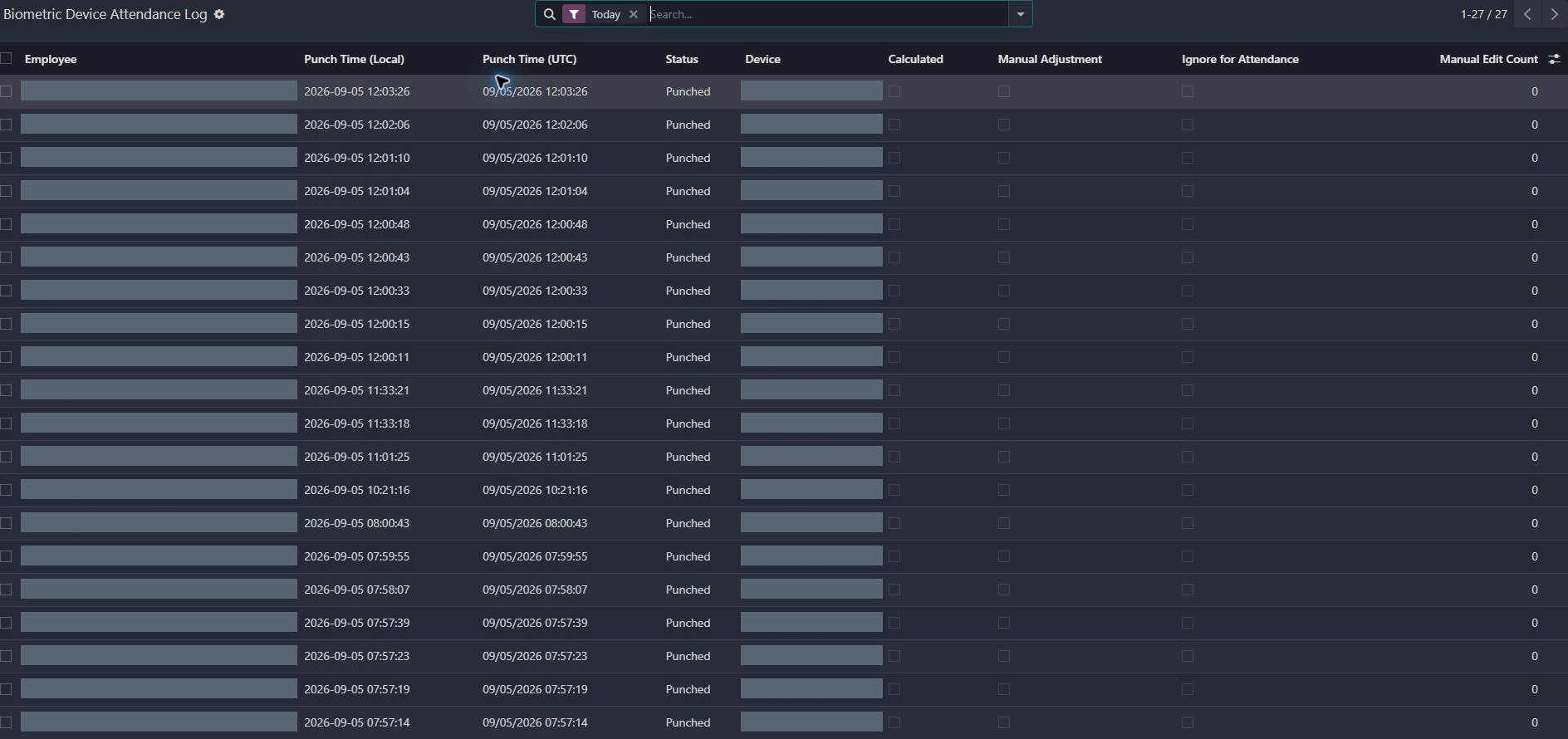
Gives administrators the event history and exception context needed to review attendance and corrections.
Makes business-specific customizations easier to maintain and carry forward.
Finance work crosses account policy, payment state, and product cost. These examples make the review and its downstream handoff visible.
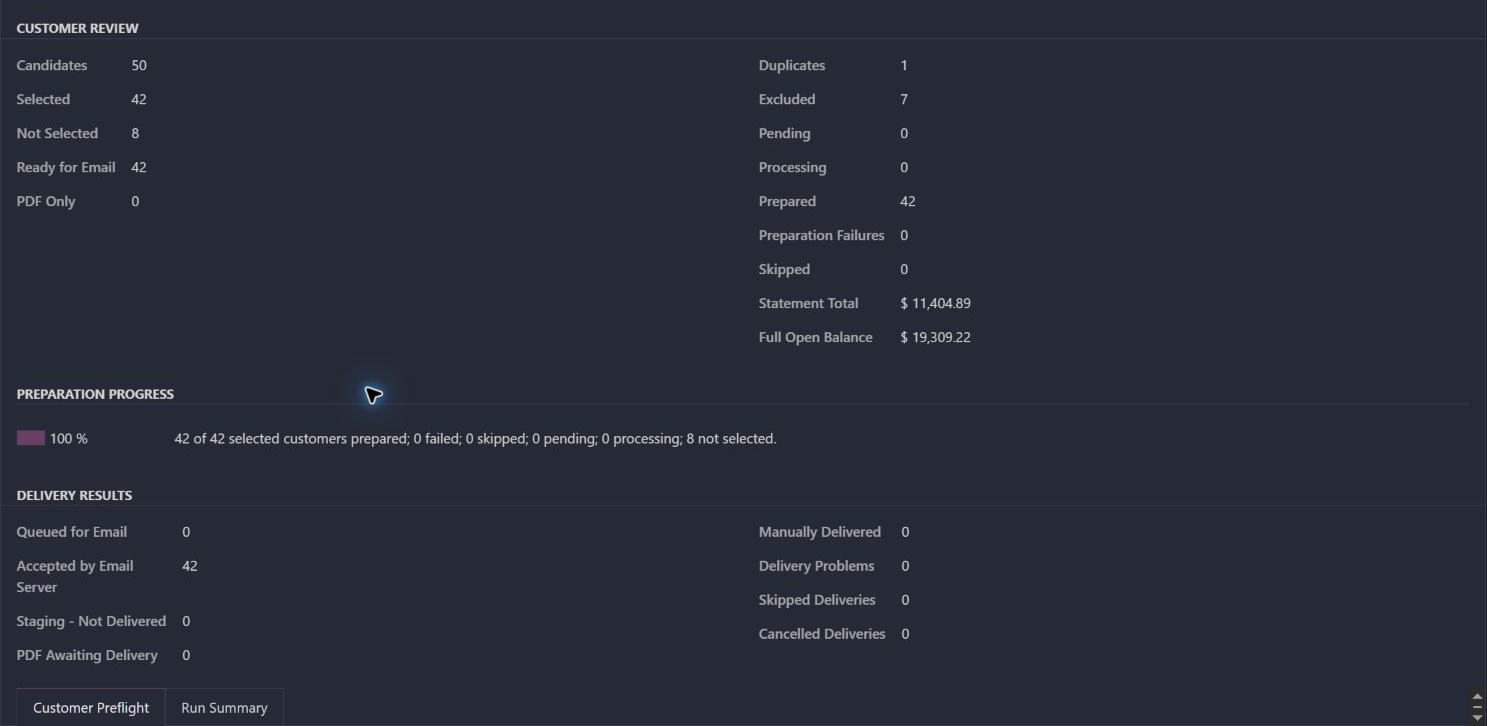
Brings account review, statement delivery, payment context, and failed-delivery recovery into one operation.
Keeps shipment charges and cost allocation connected for financial review.
Connects payment readiness with permission to release an order for fulfillment.
Makes component-based kit cost updates traceable; this is cost maintenance, not an accounting-posting workflow.
Keeps open-item, credit, payment and cutoff rules consistent across statement surfaces.
Keeps commercial information and print history in the appropriate context.
Makes invoice due dates follow explicit weekday and weekly-bucket rules.
Connects account identifiers with ledger review.
Makes the report’s before-tax, tax and net-profit relationship visible.
Sales and service teams need to understand the customer, confirm the right product, and make a promise that pickup, pricing, and returns can support.
Guides the customer from the original sale through evidence, office review, return instructions, and resolution.
Gives sales a reviewed pricing context when a price needs attention.
Puts prospect details and the place for follow-up activity together before the next conversation.
Connects vehicle selection with compatible parts so product discovery starts with the customer's vehicle.
Connects the customer's pickup choice with the location and order handoff.
Helps sales explain what an order can actually draw from stock.
Keeps the original sale, return reason, and exchange decision connected for customer service.
Adapts sales documents to the customer channel and recipient.
Keeps customer-facing availability messages aligned with ordering policy.
Gives catalog staff control over the product image customers see.
Helps staff find the intended business customer.
A connector is useful when people can inspect readiness, understand exceptions, and trace what arrived from another system.
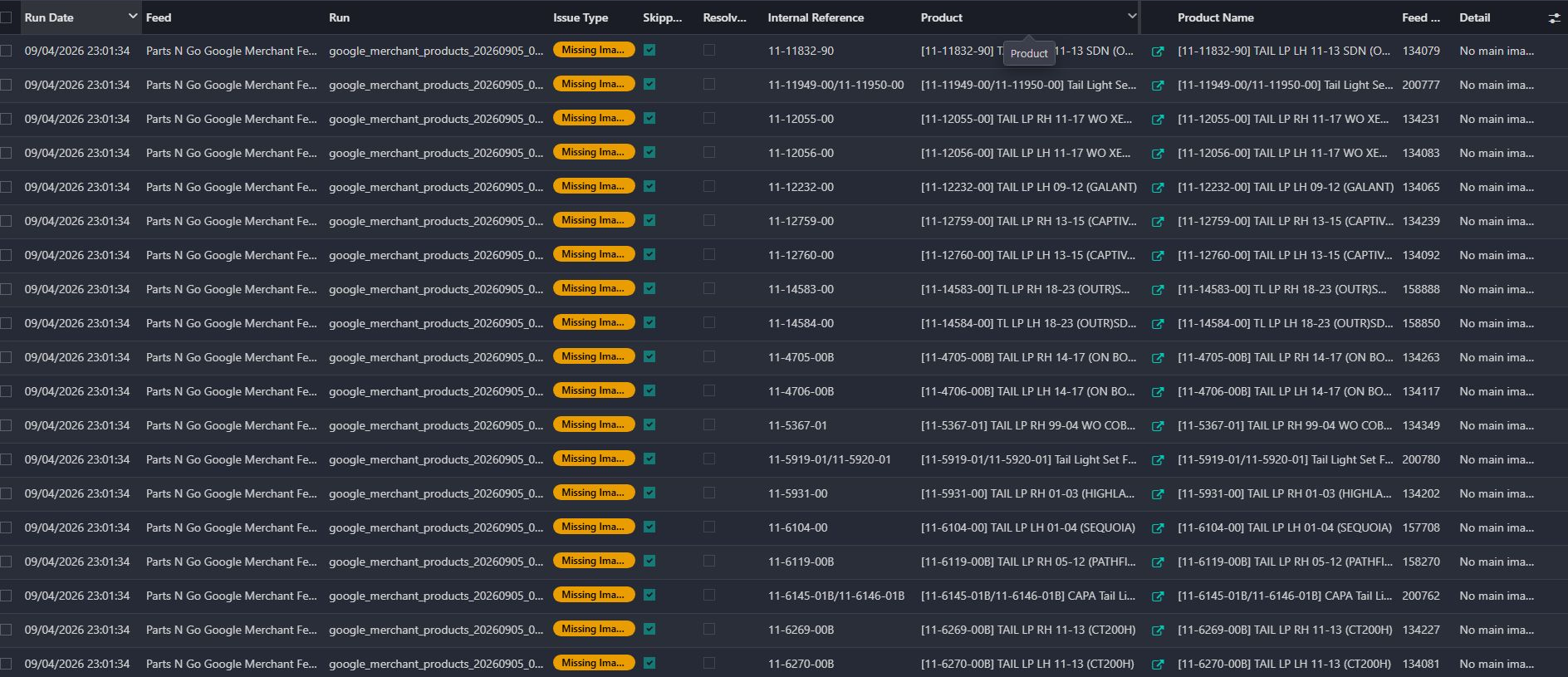
Surfaces product-feed readiness and configuration issues before the catalog is handed to a merchant channel.
Brings marketplace account, order, synchronization, and recovery context into the operating workflow.
Makes device events traceable into the attendance workflow instead of leaving operators with an opaque sync.
Uses explicit record identifiers for the spreadsheet handoff.
Reuses existing connector media through a deliberate product-maintenance action.
Demonstrates account-backed report expressions and drill-down structure.
Shows migration and compatibility work across installed Odoo extensions.
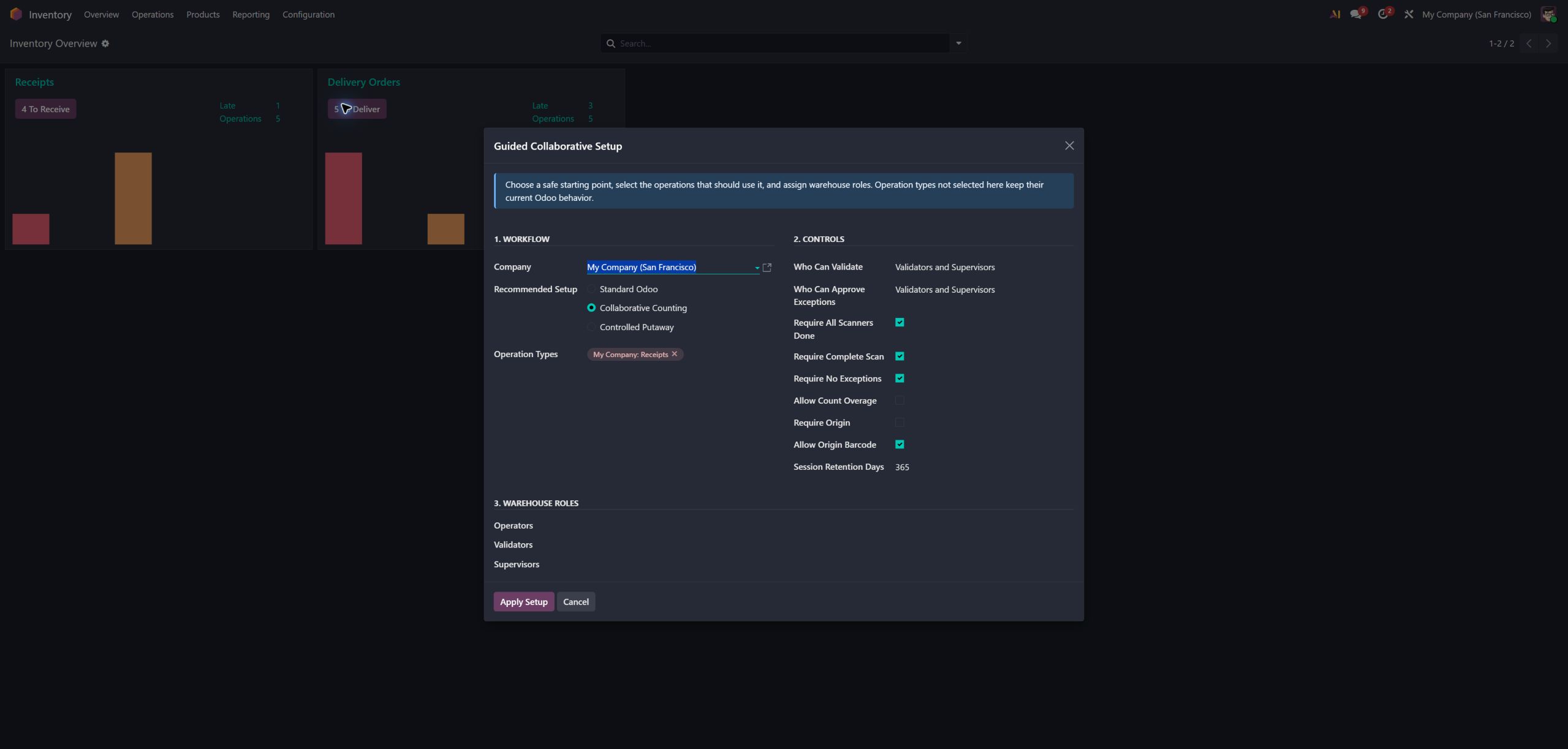
Several warehouse operators can count or put away the same transfer together, without losing the controls that make inventory trustworthy.
Back to Inventory & Operations ↑
Ask about Collaborative ScanningOperators scan in parallel while shared totals stay current. Ownership and idempotency keep a retry from becoming a duplicate.
Destination work can follow putaway rules, surface missing rules, and route unusual cases for review.
Lost connections and repeated requests are treated as normal operating conditions, not edge cases nobody planned for.
Operators, validators, and supervisors get clear authority. Exceptions remain reviewable and important events stay searchable.
A polished demo is not enough. We care about the second scanner, the wrong barcode, the missing permission, the broken connection, and the person who has to understand it six months later.
Bring us the workaround, the repeated complaint, or the connection somebody has to keep checking. We will help work out whether to refine the foundation or build the missing piece.