The business problem
A shipment can arrive short even when most of the receipt is complete. The team needs to see what arrived, which products remain outstanding and which container those products belong to.
Follow a real container from scanned quantities to its completed receipt and the backorder that keeps unfinished work visible.
See the real screens ↓Explore 3 real views of this workflow. Select a task, show every screen, or enlarge an image to read the original controls.
Actual Pro-A-Motors interface captures. Private identities and contact details are covered or outside the crop; screen data has not been replaced.
A shipment can arrive short even when most of the receipt is complete. The team needs to see what arrived, which products remain outstanding and which container those products belong to.
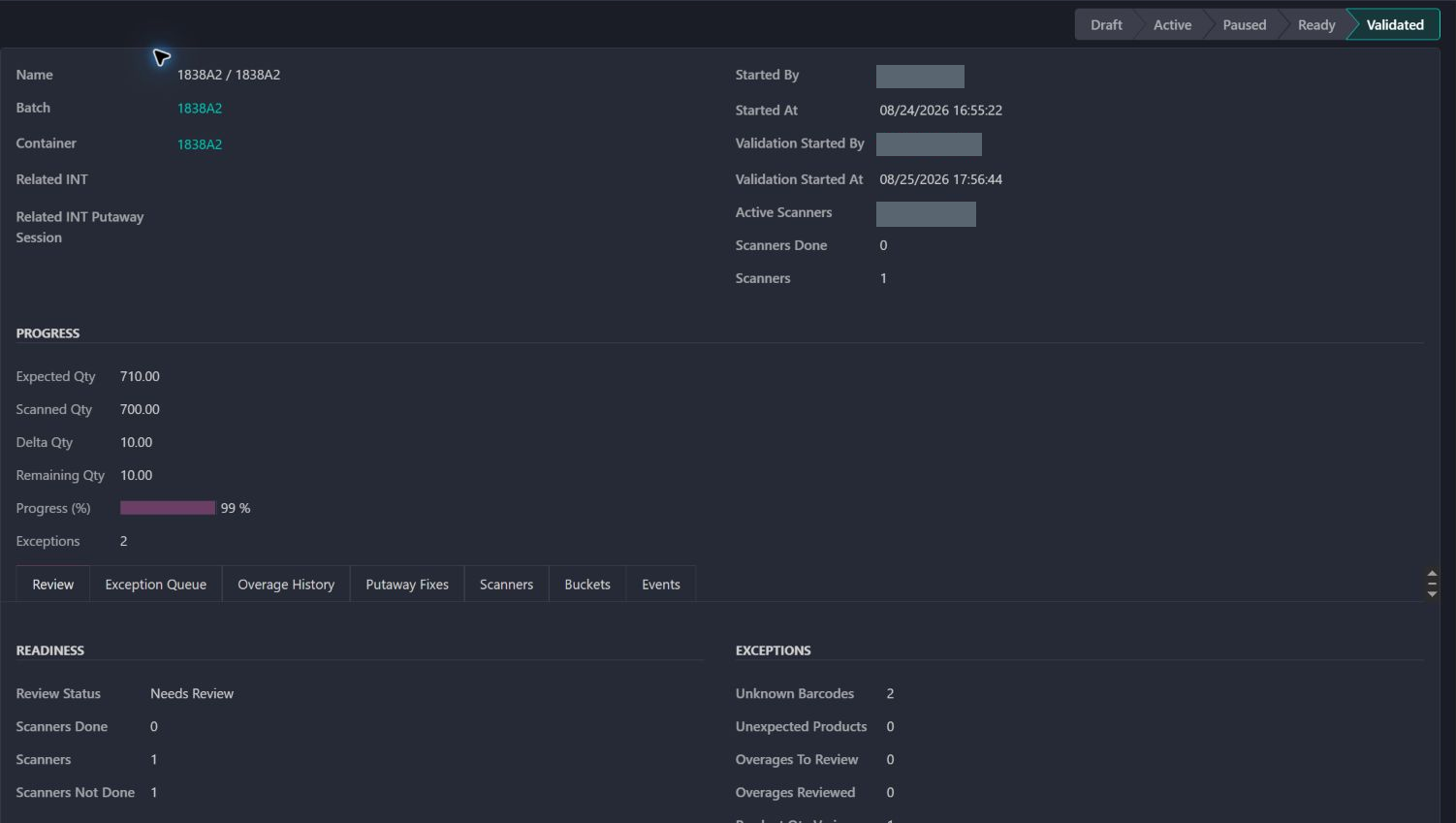
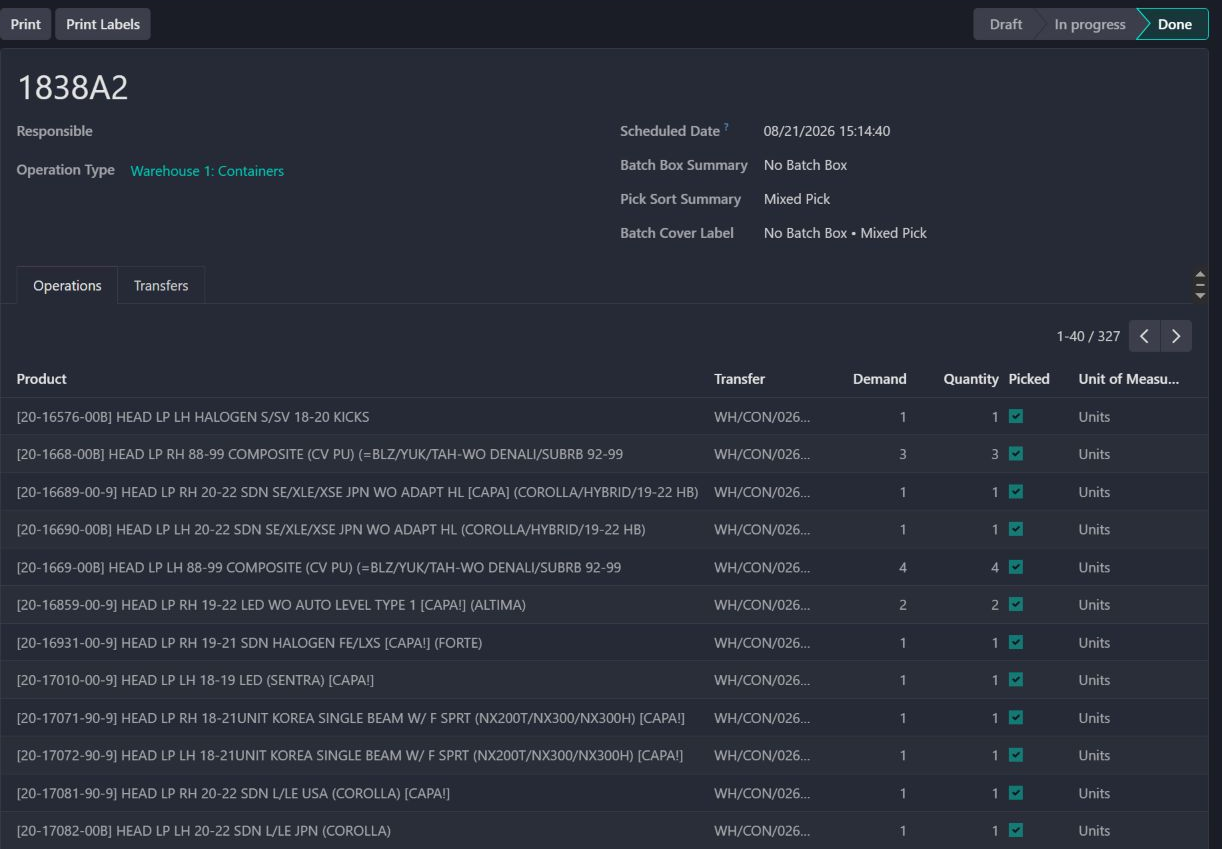
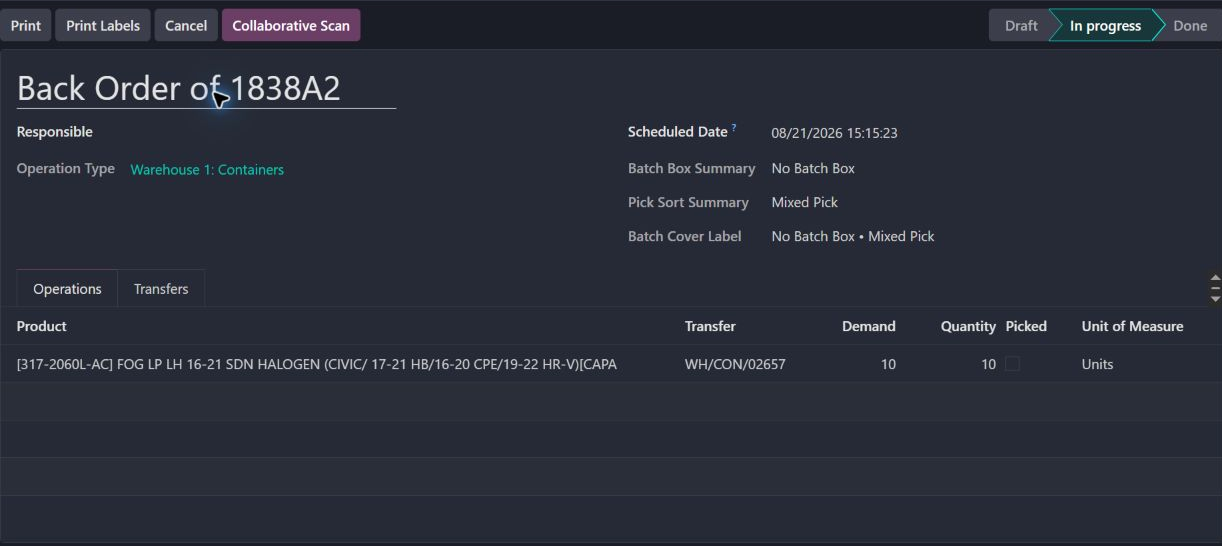
Receiving review shows expected and scanned quantities, while the completed receipt and remaining backorder retain their container link.
Inbound teams can retain the connection between what was purchased, what arrived and where it should move next.
Container 1838A2 has a saved scanning session, a completed receipt batch and an in-progress backorder. The three screens let a receiving team follow the same shipment.
The session shows the ten-unit difference. The backorder lists ten fog lamps with Picked still unchecked.
Use the backorder to locate the unfinished receiving work. The saved session also retains review flags; its Validated label alone does not tell the whole story.
The completed products and the remaining receipt stay connected to container 1838A2.
Start with the container and its receiving work.
Read the expected, scanned and remaining quantities.
Inspect the products and quantities on the completed batch.
Find unfinished goods in the backorder attached to that container.
Refined unfinished batch work and its downstream internal-transfer routing.
Adapted container behavior to the collaborative scanning workflow.
Strengthened receiving checks around kit and component disaggregation.
Corrected kit and clip handling in the container batch path.
Dates identify recorded implementation changes, not claimed rollout dates or measured results. Reviewed revisions: 61bfa2e, d91335f, d3f98a5, 64d1dec.
The model constrains container linkage so unrelated container work cannot silently share the same route.
Buying a set is not automatically the same operation as receiving each BoM component separately.
Backorder batches do not create an unrelated second internal route for the same container.
Existing records are shown as captured. Private identities are covered or outside the crop. No business records were changed for this collection. Implementation history supports behavior beyond the visible screen; a still image is not an end-to-end test or a measured productivity result.
Built on Captivea CAP modules and Odoo. This case describes the subsequent Pro-A-Motors extensions and refinements recorded in the reviewed repository; it does not attribute the original CAP implementation to Toro.
Preserves container identity through receipt, backorder and putaway.
Keeps received products connected to what was purchased.