The business problem
The old job crossed customer records, aging, email, payment, and follow-up. This monitor was created so the entire statement operation could be run and understood from one place.
This is a collections operating system around the PDF: choose the right accounts, freeze a review population, prepare in batches, handle delivery exceptions and track what remains unpaid.
See the real screens ↓Explore 1 real view of this workflow. Select a task, show every screen, or enlarge an image to read the original controls.
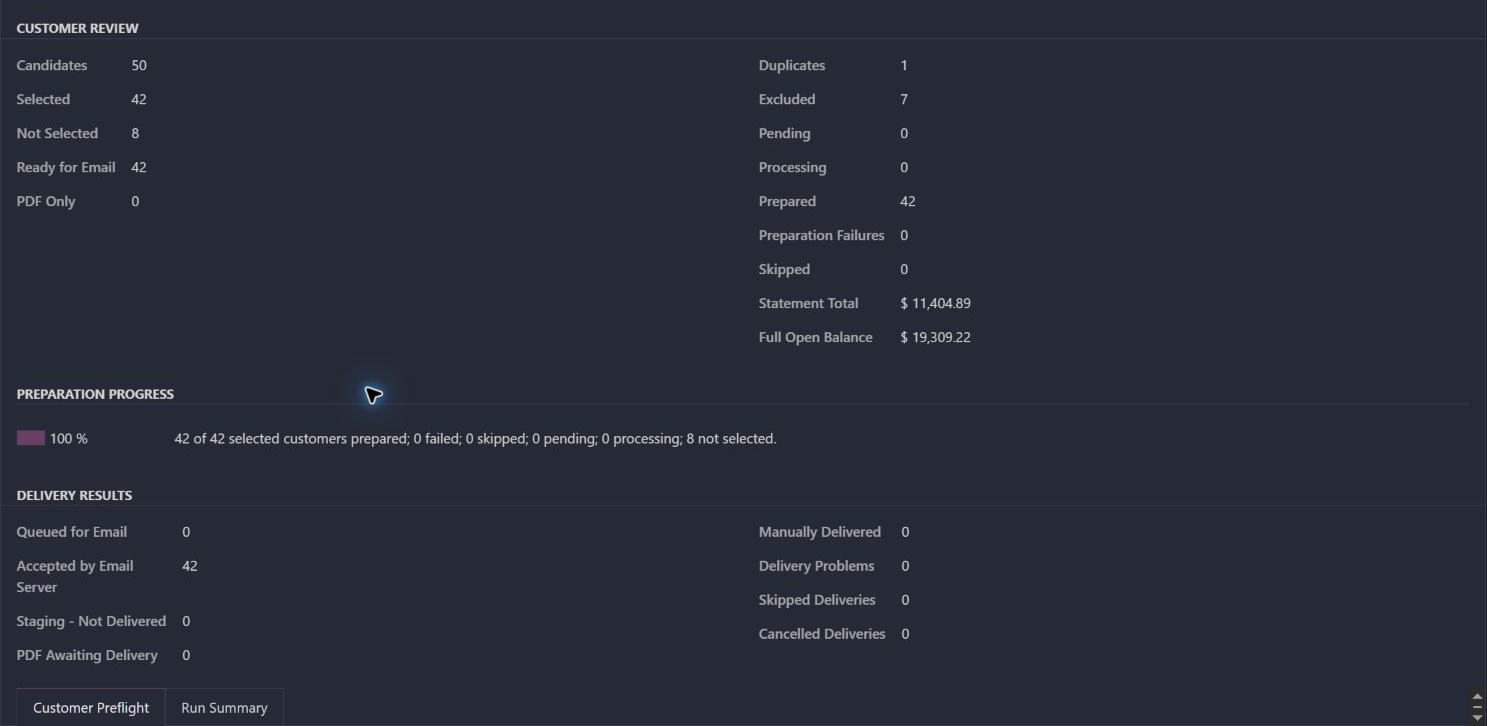
Actual Pro-A-Motors interface captures. Private identities and contact details are covered or outside the crop; screen data has not been replaced.
The old job crossed customer records, aging, email, payment, and follow-up. This monitor was created so the entire statement operation could be run and understood from one place.
Selection, duplicate handling, preparation progress and delivery outcomes are recorded in the same statement run.
Normal accounts move quickly. Unusual accounts and failed deliveries remain visible to the people responsible for them.
An existing completed run selected 42 of 50 candidates. One duplicate and seven exclusions explain the eight not selected.
Preparation is 100%. The result records 42 accepted by the email server and zero delivery problems.
Use the run to inspect exclusions or any delivery exception; server acceptance does not establish that a customer read or paid the statement.
Collections receives a record of who was selected, what was prepared and the delivery result.
This is a collections operating system around the PDF: choose the right accounts, freeze a review population, prepare in batches, handle delivery exceptions and track what remains unpaid.
Review due amounts, account policy and duplicates before selecting the run’s customers.
The next handoff The run retains the candidate population and explains exclusions.
Prepare selected statements in bounded background batches with persistent progress.
The next handoff The operator can see prepared, failed and pending work without waiting on every PDF.
Keep manual-PDF delivery, queued mail, server acceptance and failures as different outcomes.
The next handoff The next operator has a specific delivery action to take.
Keep the original statement snapshot separate from current open debt and payment status.
The next handoff Collections can explain both the issued statement and what is still due.
These paths describe the implemented workflow. The captures show specific existing records; they do not demonstrate every branch being executed.
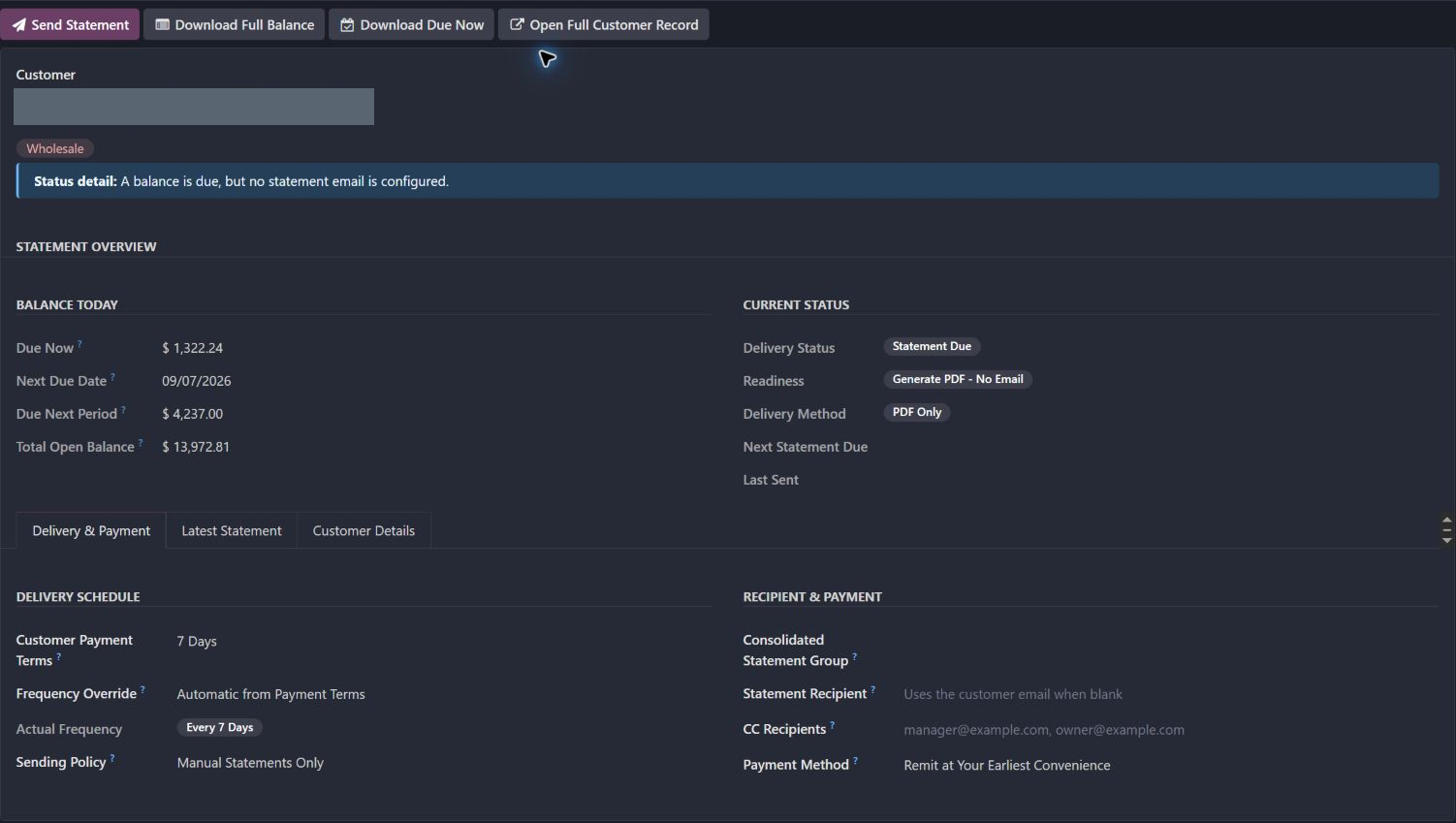
Inspect current debt and the previous statement on actual customer-account screens.
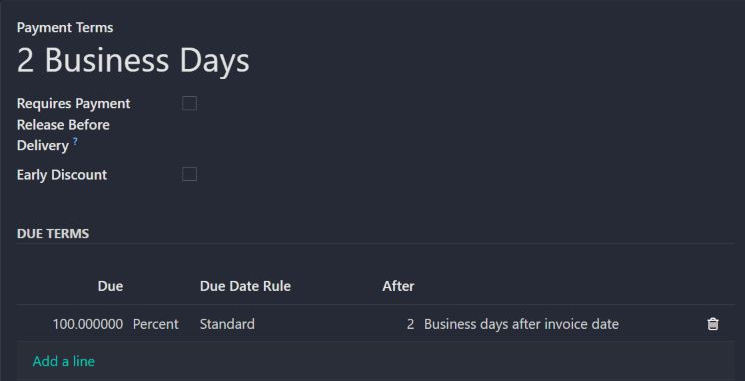
See the saved due-date rule that informs the timing of collections.
Terms, due dates, balances, holds, groups, and delivery policy determine what needs attention.
The operator can see what is due now, what comes next, and how the customer should receive it.
Manual and scheduled delivery use the same policies, recipients, and payment options.
Delivery history, failures, payment state, and remaining balances stay reviewable instead of disappearing into a background job.
Updated the existing customer statement workflow.
Added easier statement sending and accounting workflow refinements.
Refined delivery handling, statement actions and related report behavior.
Dates identify recorded implementation changes, not claimed rollout dates or measured results. Reviewed revisions: f783e0b, 900d226, 33982db.
Timing alone does not establish that an account should receive a statement.
The completed run distinguishes prepared statements from email-server acceptance and delivery problems.
A prepared or delivered statement is not proof of payment. Delivery history and remaining-balance review remain separate tasks.
Existing records are shown as captured. Private identities are covered or outside the crop. No business records were changed for this collection. Implementation history supports behavior beyond the visible screen; a still image is not an end-to-end test or a measured productivity result.
A focused custom workflow built around Odoo accounting, customer accounts, email delivery, and payment operations. The case describes Toro’s workflow design and engineering without claiming the underlying Odoo foundation as our own.
Brings account review, statement delivery, payment context, and failed-delivery recovery into one operation.