The business problem
Returns are customer communication, sales context, evidence review, policy, inventory movement, and resolution at the same time. The workspace was created so those handoffs do not become separate stories.
A return crosses the customer, sales office and warehouse. The custom workflow keeps evidence, eligibility, approval, physical arrival and resolution connected while allowing each team to own its decision.
See the real screens ↓Explore 2 real views of this workflow. Select a task, show every screen, or enlarge an image to read the original controls.
Actual Pro-A-Motors interface captures. Private identities and contact details are covered or outside the crop; screen data has not been replaced.
Returns are customer communication, sales context, evidence review, policy, inventory movement, and resolution at the same time. The workspace was created so those handoffs do not become separate stories.
The return workspace carries customer evidence, office decisions, packaging instructions and warehouse inspection through distinct stages.
The customer gets a guided request and clear follow-up. The office gets an operable review. The warehouse receives the approved decision and closes the loop.
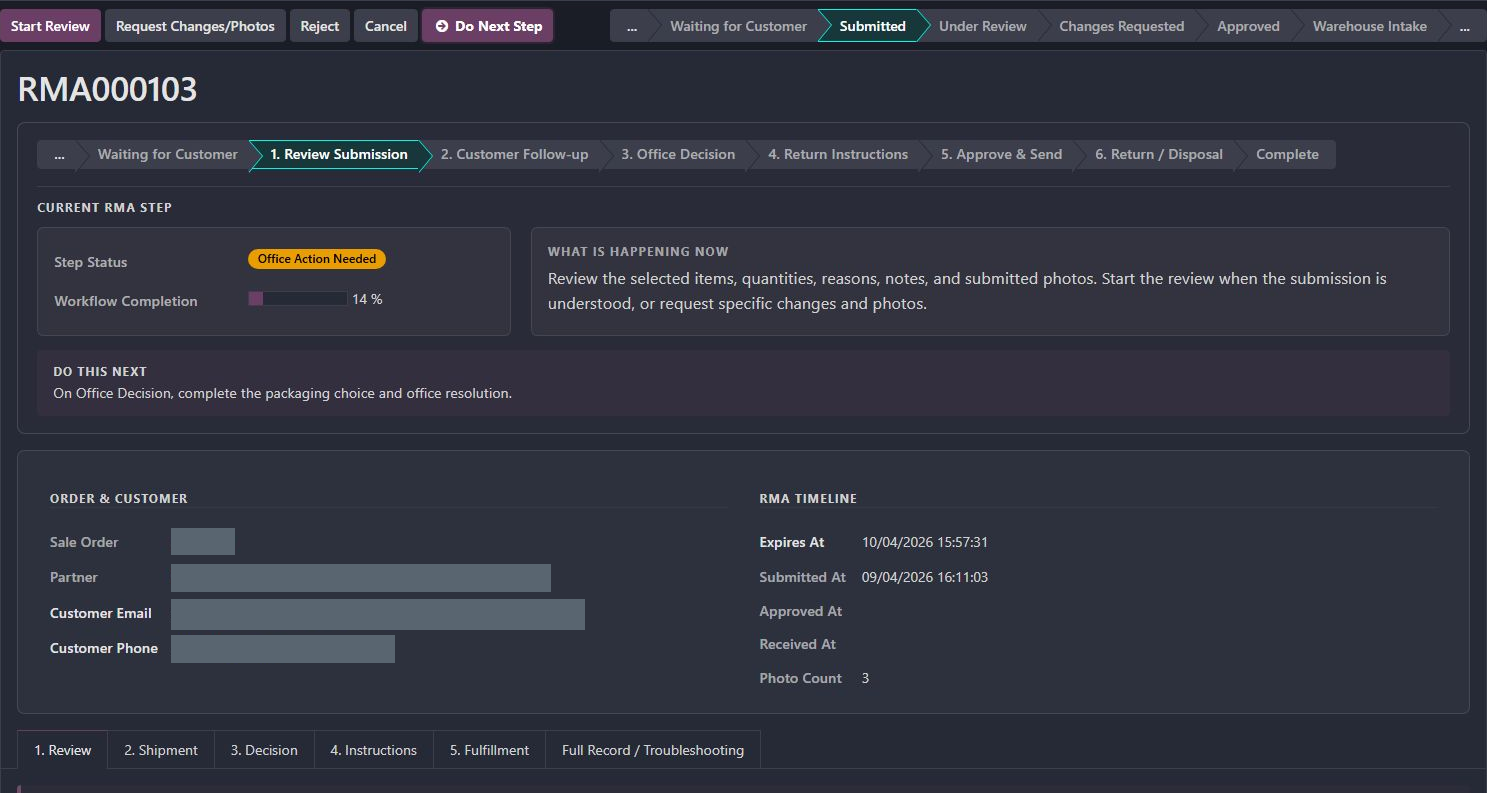
The return is Submitted, the visible task is Review Submission, and the workspace reports Office Action Needed with 14% workflow completion.
The current-step panel explains what is happening now and what the office should do next. Submission is distinct from approval and warehouse receipt.
Review the selected items and evidence, request what is missing, and use the dedicated decision fields before sending instructions.
The customer gets a specific next action, and the warehouse receives the eventual approved scope and instructions.
A return crosses the customer, sales office and warehouse. The custom workflow keeps evidence, eligibility, approval, physical arrival and resolution connected while allowing each team to own its decision.
Carry the original sale into the request and collect eligible items, quantities, reasons and photos.
The next handoff Office review starts with the sale and item evidence together.
Ask for the missing photo or explanation against that specific item.
The next handoff The customer gets a precise follow-up instead of restarting the request.
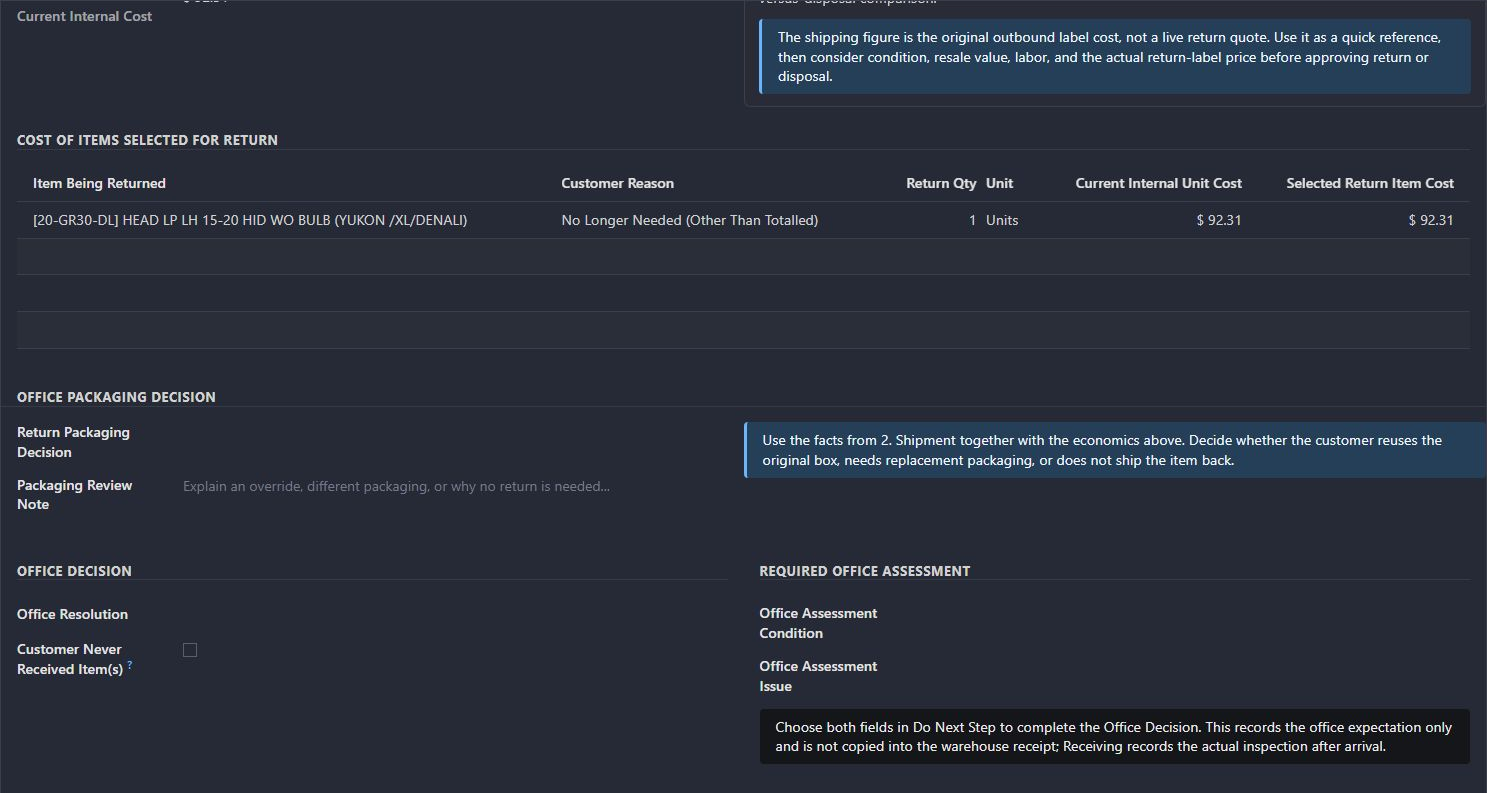
Record the approved quantity, resolution and packaging or return instructions.
The next handoff Customer and warehouse receive the same agreed next step.
Keep warehouse inspection distinct from the office assessment and record the intake issue.
The next handoff Resolution remains tied to what physically arrived.
These paths describe the implemented workflow. The captures show specific existing records; they do not demonstrate every branch being executed.
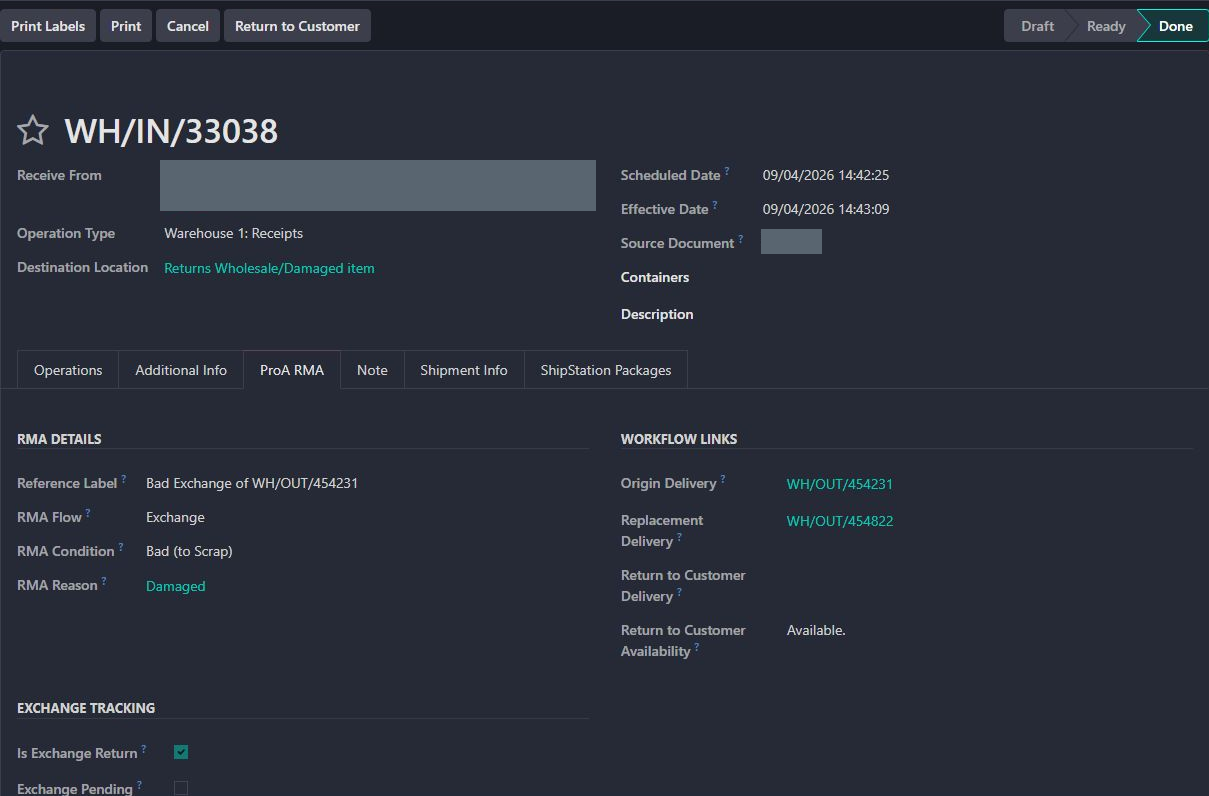
Inspect the completed exchange receipt and its original/replacement links.
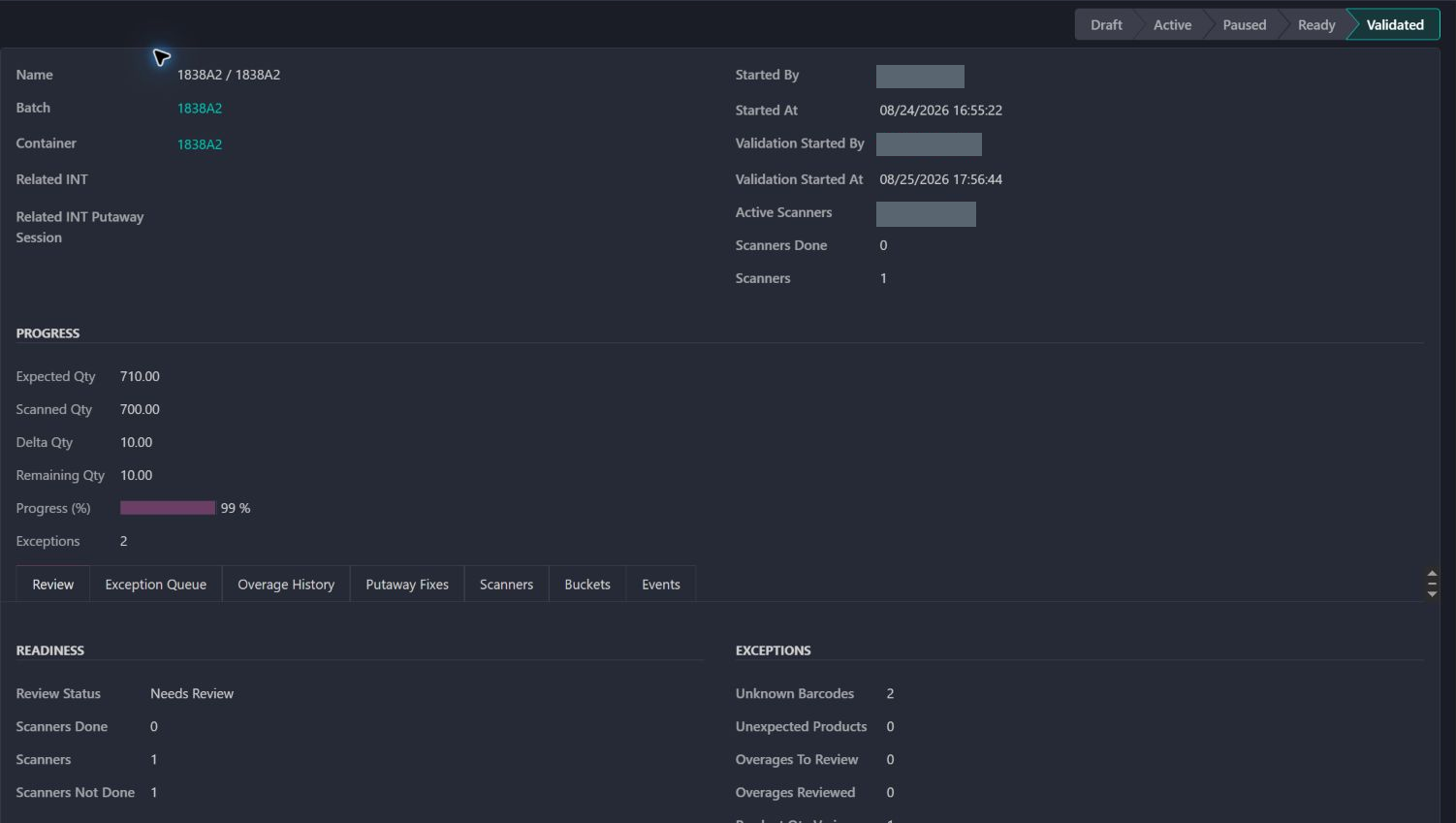
Compare the separate inbound receiving workflow: another example of expected versus received quantities.
The link carries the original sale and customer context into a focused website form.
Delivered quantities, reasons, condition answers, descriptions, and photos form one submission.
The office works through explicit stages and can ask for a specific photo tied to a specific item.
The customer receives the approved quantity, method, packaging direction, and next action.
Warehouse intake and any issue remain attached to the return until the resolution is complete.
Customer progress, office review and warehouse intake are separate responsibilities.
Follow-up should identify the specific item and missing photo or explanation.
The decision workspace explicitly separates the office assessment from the warehouse’s actual arrival inspection.
Existing records are shown as captured. Private identities are covered or outside the crop. No business records were changed for this collection. Implementation history supports behavior beyond the visible screen; a still image is not an end-to-end test or a measured productivity result.
A custom website and back-office workflow built on Odoo sales, customer, delivery, inventory, and portal foundations. Toro designed and implemented the return-specific customer experience, review process, evidence handling, and cross-team operating flow described here.
Carries the approved return, customer evidence, and intake instructions into the warehouse receipt.
Guides the customer from the original sale through evidence, office review, return instructions, and resolution.