The business problem
A manually stored Sold Out label can remain after stock returns. A product allowed to sell on backorder also needs a different message from a product that cannot be ordered.
Help online customers understand whether a part is available before they place an order.
See the real screens ↓Explore 2 real views of this workflow. Select a task, show every screen, or enlarge an image to read the original controls.
Actual Pro-A-Motors interface captures. Private identities and contact details are covered or outside the crop; screen data has not been replaced.
A manually stored Sold Out label can remain after stock returns. A product allowed to sell on backorder also needs a different message from a product that cannot be ordered.
Stock labels and ordering controls follow availability and backorder policy, including when stock returns.
The storefront can communicate stock state using the same availability context as the purchase controls.
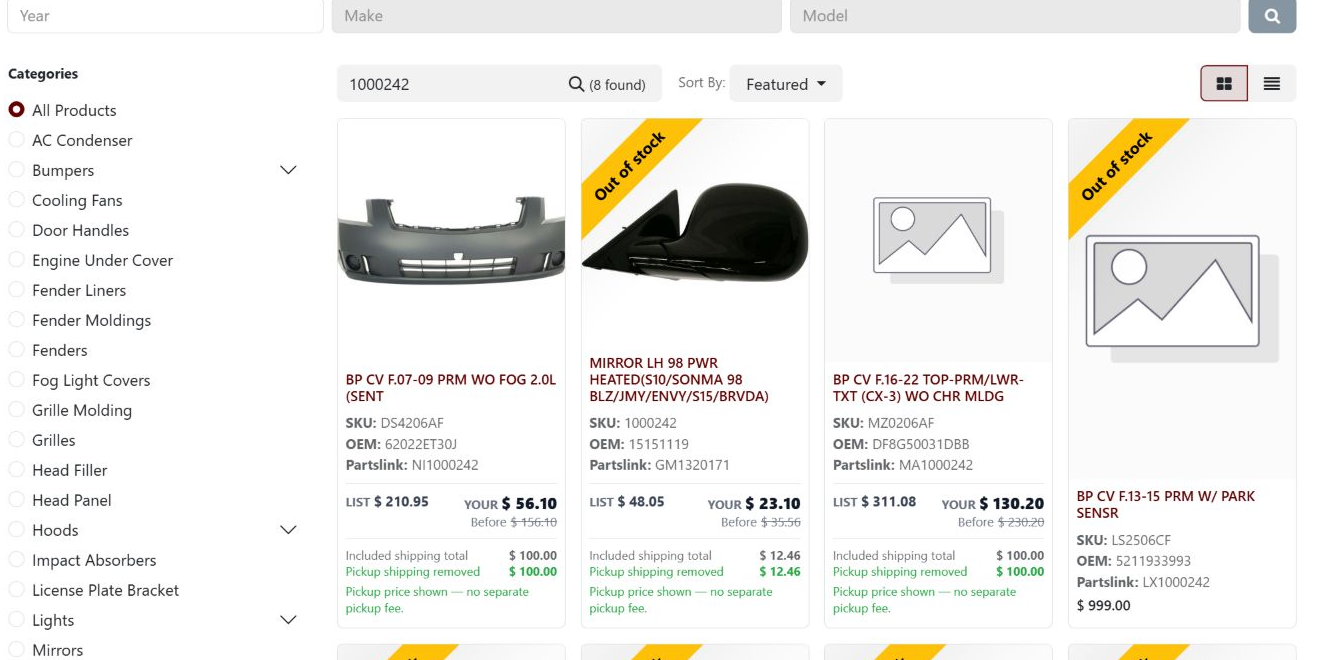
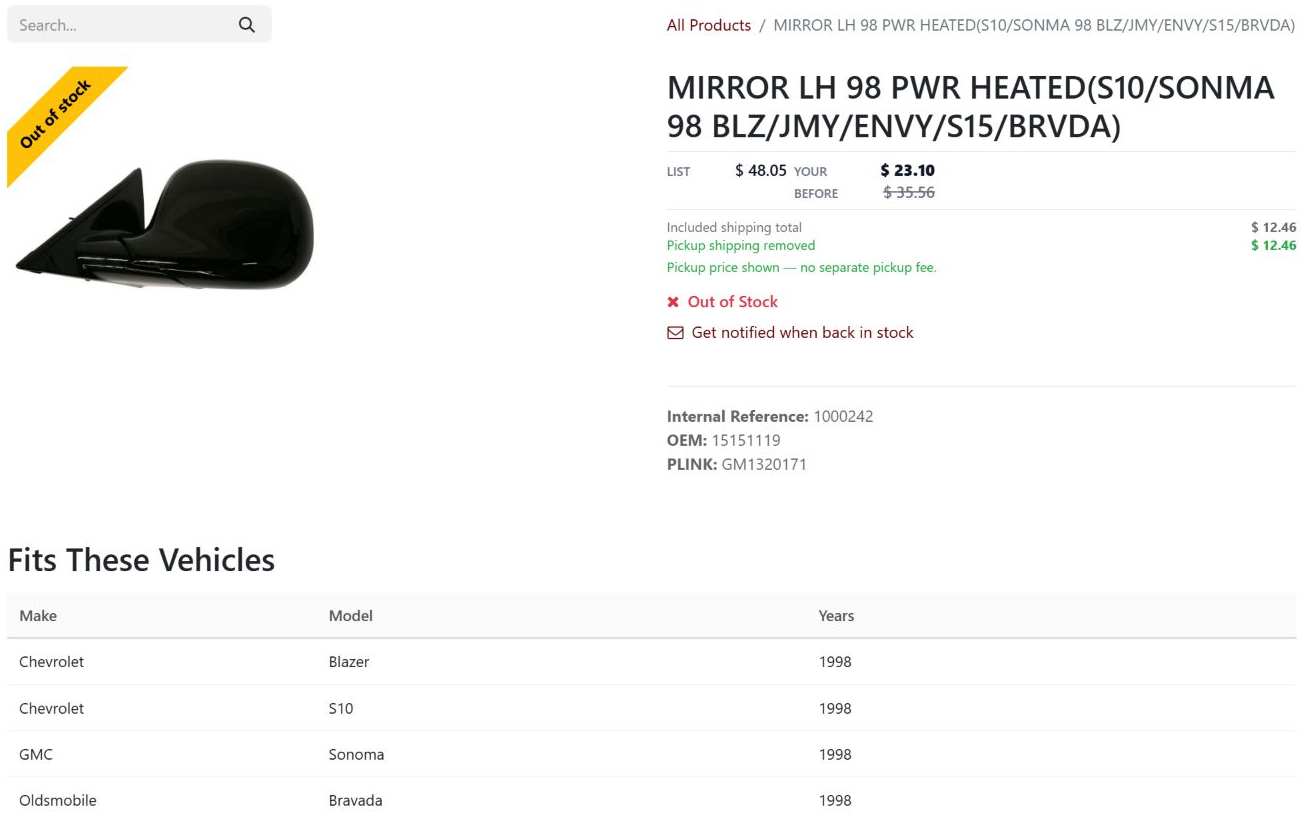
SKU 1000242 displays an Out of stock ribbon in the search results. Opening it shows the same ribbon and an Out of Stock message beside the back-in-stock notification option.
Both real captures show the same availability state for the same product.
A customer can inspect the product and choose whether to request a future notification. No cart or notification action was performed for this capture.
The customer-facing message stays attached to the product. Source review explains how availability and the continue-selling policy select the state.
Evaluate the product using the website’s available-quantity source.
Use Continue Selling policy to choose Backorder or Out of Stock when availability is zero.
Keep Sale or New ribbons while products are available, while clearing stale stock-state ribbons.
Update ribbon information with variant combinations and audit manually stored stock-state ribbons.
Added website-aware stock ribbons, variant refresh, migration cleanup and a scheduled audit. This is distinct from the fitment-search story: it controls the availability message after a product has been found.
Dates identify recorded implementation changes, not claimed rollout dates or measured results. Reviewed revisions: 9a496b6.
A storefront quantity belongs to the website’s stock context, not an arbitrary global on-hand total.
Promotional ribbons can survive availability changes when they remain appropriate.
The scheduled audit warns about manually stored stock-state ribbons; it is not a stock correction.
Existing records are shown as captured. Private identities are covered or outside the crop. No business records were changed for this collection. Implementation history supports behavior beyond the visible screen; a still image is not an end-to-end test or a measured productivity result.
Built on Captivea CAP modules and Odoo. This case describes the subsequent Pro-A-Motors extensions and refinements recorded in the reviewed repository; it does not attribute the original CAP implementation to Toro.
Carries stock availability into the storefront.
Keeps customer-facing availability messages aligned with ordering policy.