The business problem
A customer list does not explain who needs a call, what was learned last time, or why the next conversation should matter. Those details need to stay with the relationship when the work changes hands.
The work goes beyond logging a call. It combines who matters, why the customer buys elsewhere, what they need, the next commitment and a place to track subsequent changes.
See the real screens ↓Explore 2 real views of this workflow. Select a task, show every screen, or enlarge an image to read the original controls.
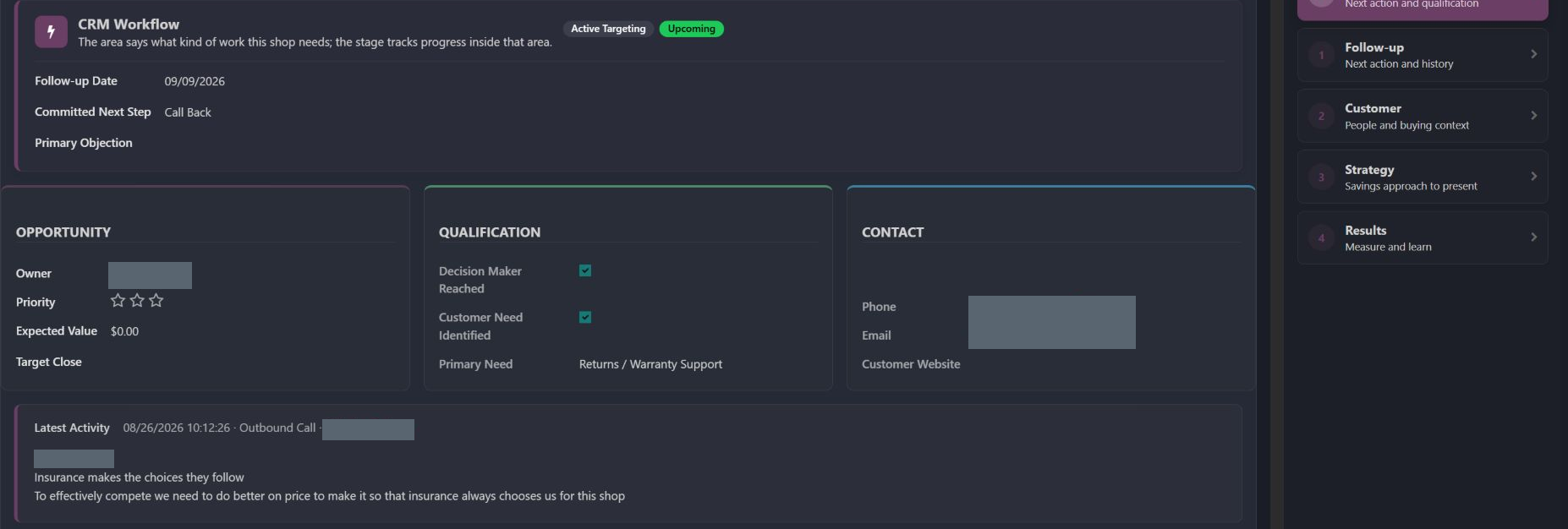
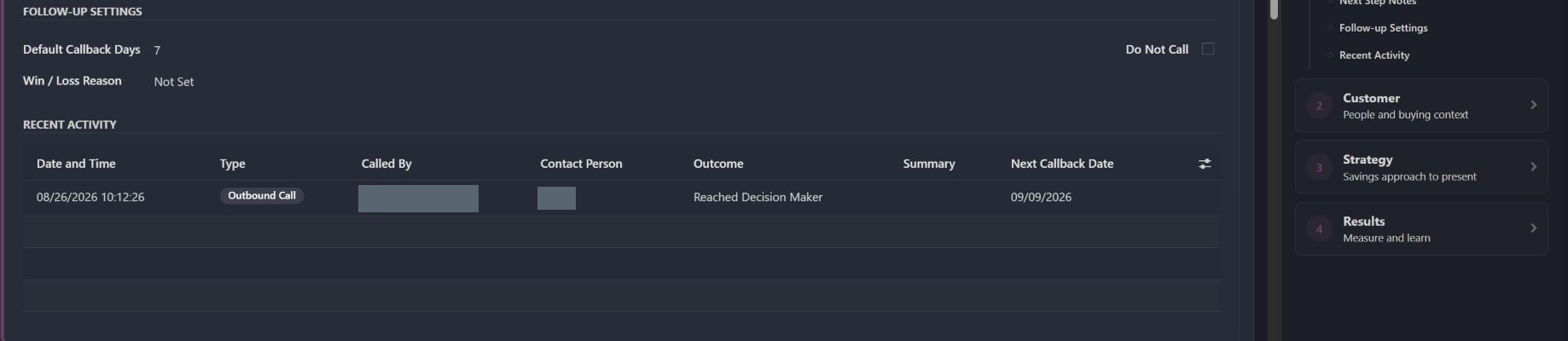
Actual Pro-A-Motors interface captures. Private identities and contact details are covered or outside the crop; screen data has not been replaced.
A customer list does not explain who needs a call, what was learned last time, or why the next conversation should matter. Those details need to stay with the relationship when the work changes hands.
The relationship record keeps qualification, the latest conversation, a committed next step and its follow-up date together.
Sales can prepare a relevant conversation and leave the next person a concrete commitment, date and context.
This opportunity records an August 26 outbound call and a September 9 callback.
The call reached a decision maker. The overview marks the customer need as Returns / Warranty Support and the committed next step as Call Back.
Prepare the next conversation from the recorded need and prior discussion.
The next owner receives a dated commitment and the contact history behind it.
The work goes beyond logging a call. It combines who matters, why the customer buys elsewhere, what they need, the next commitment and a place to track subsequent changes.
Record the decision-maker context, customer need and buying constraints before choosing an approach.
The next handoff The next conversation starts from a specific business need.
Retain the call outcome, committed action and follow-up date with the opportunity.
The next handoff Another salesperson can continue the conversation with its history.
Use future-revisit context or do-not-call status rather than leaving every contact in an active call queue.
The next handoff Follow-up respects timing and contact policy.
Record the important change and choose a measurement window before reviewing later sales movement.
The next handoff The team can compare recorded periods without treating estimates as proven gains.
These paths describe the implemented workflow. The captures show specific existing records; they do not demonstrate every branch being executed.
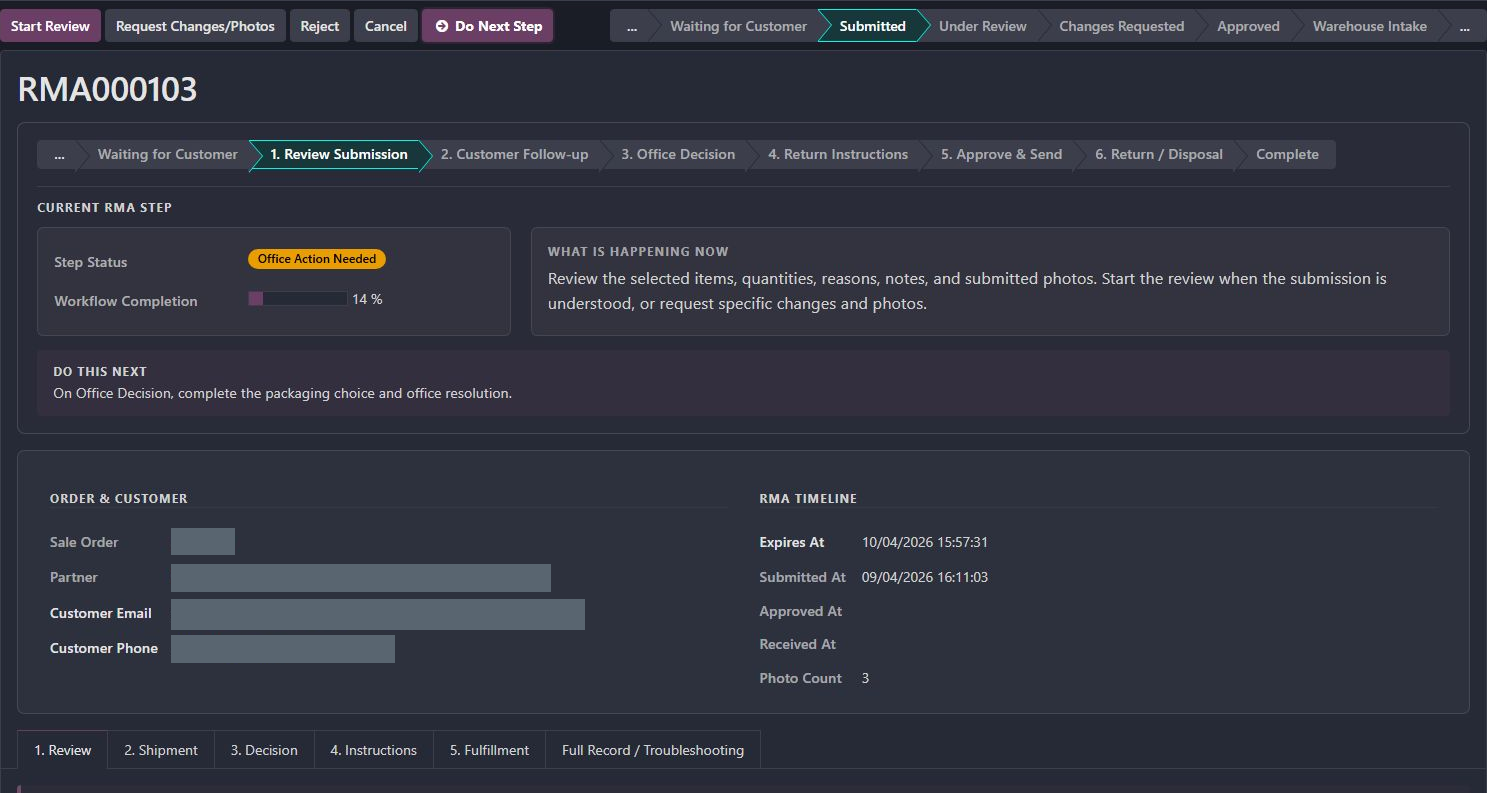
Explore the returns and warranty workflow behind the need in the captured opportunity.
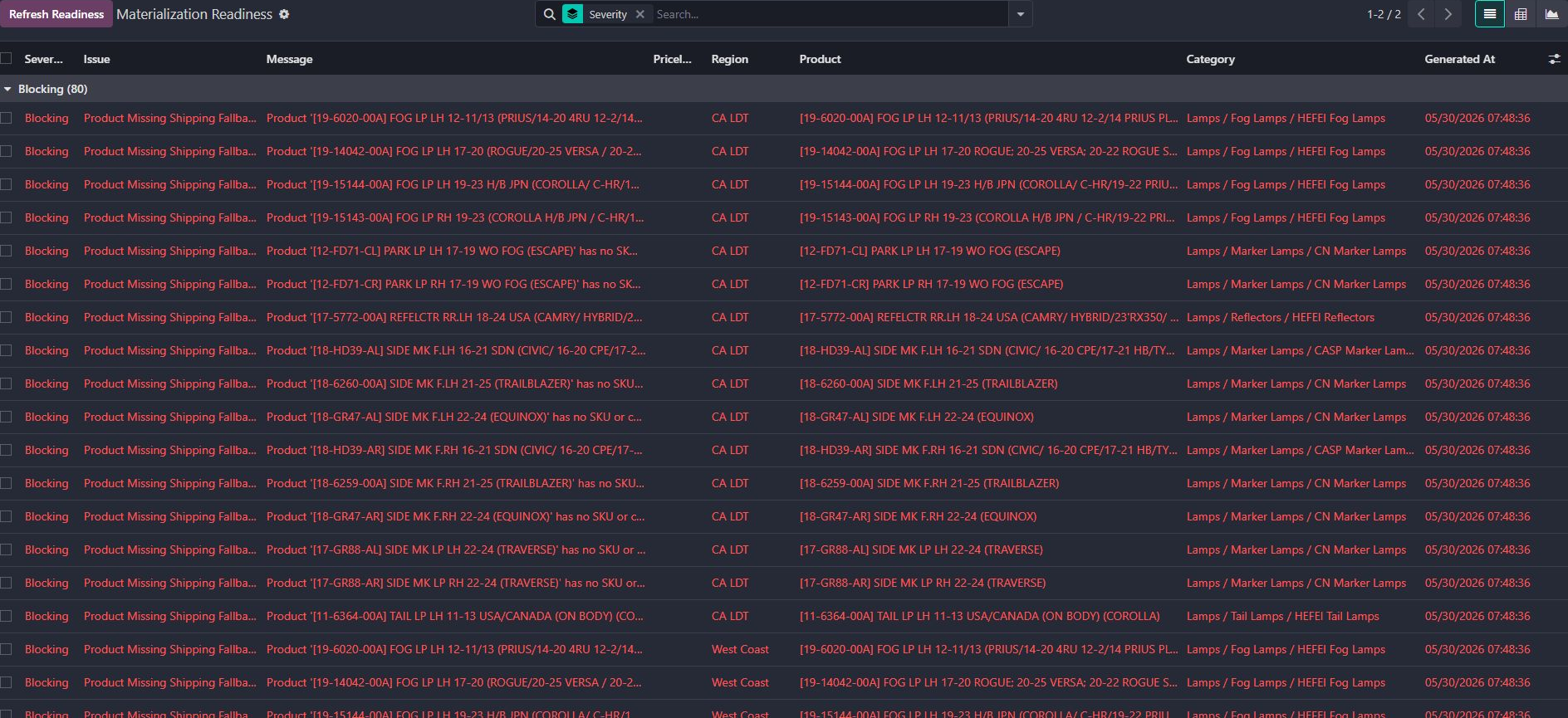
See the regional shipping-price context that can support a commercial conversation.
Record the people involved, buying habits and the problem the customer wants solved.
Use the appropriate CRM area and a follow-up or revisit date; retain why that timing makes sense.
Review conversation history and a relevant example before following up. Record the next commitment.
The recorded call and scheduled callback show the next commitment; they do not establish a sale or a completed growth program.
Do-not-call, closed outcomes and callback timing belong in the operating context.
Value examples and opportunity estimates support discussion; they do not establish realized savings or causal sales gains.
Existing records are shown as captured. Private identities are covered or outside the crop. No business records were changed for this collection. Implementation history supports behavior beyond the visible screen; a still image is not an end-to-end test or a measured productivity result.
A custom Pro-A-Motors customer-development workflow connected to Odoo contacts, sales orders and messaging. The customer context and queue rules are the custom contribution.
Puts prospect details and the place for follow-up activity together before the next conversation.