The business problem
A timestamp from a scanner is not yet trustworthy attendance. This workflow was created to preserve the source event while adding the time, device, correction, and review context needed for payroll work.
Receiving a punch from a device is the easy part. The real system begins with shifts, time zones, missed punches, meal rules, corrections, leave, privacy, and review.
See the real screens ↓Explore 2 real views of this workflow. Select a task, show every screen, or enlarge an image to read the original controls.
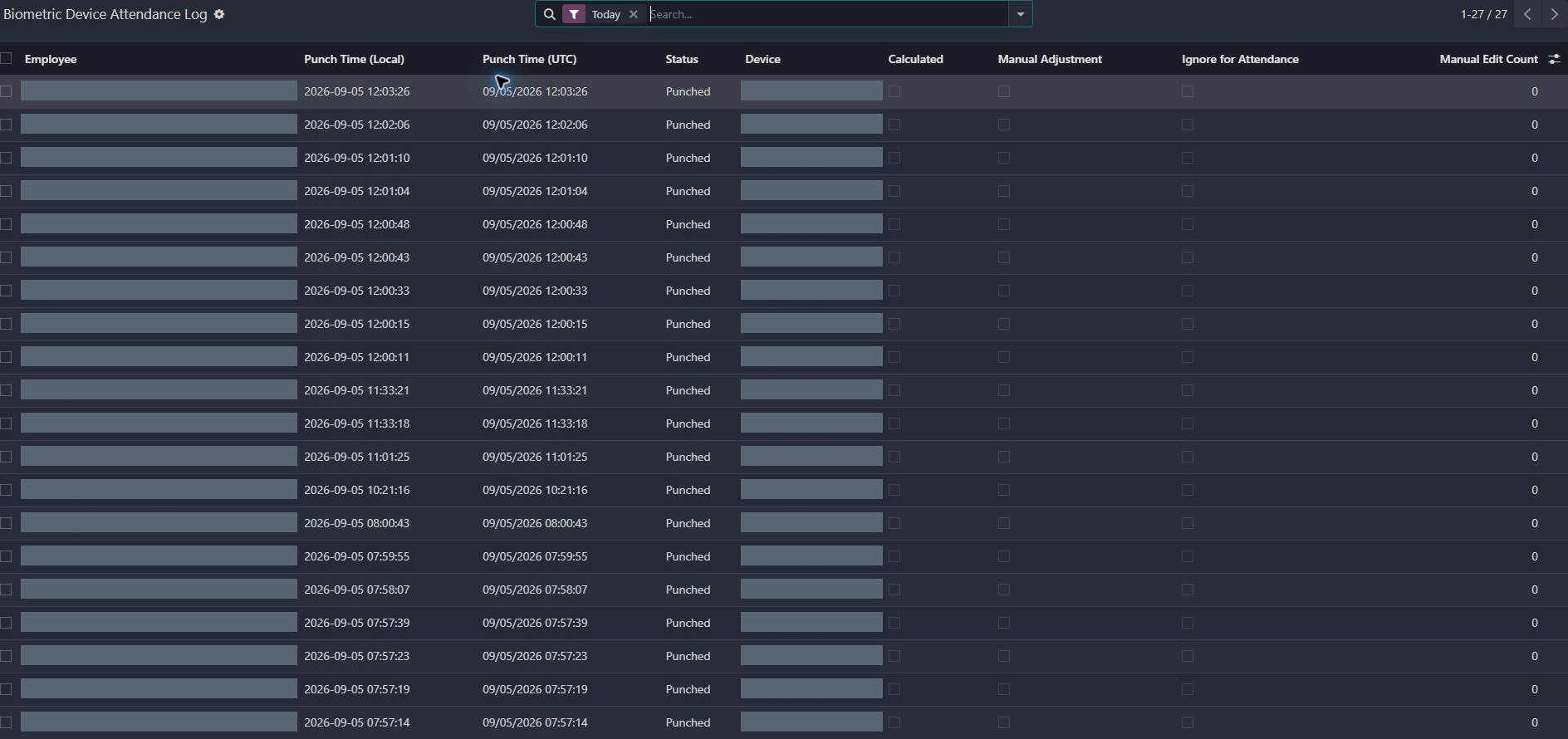
Actual Pro-A-Motors interface captures. Private identities and contact details are covered or outside the crop; screen data has not been replaced.
A timestamp from a scanner is not yet trustworthy attendance. This workflow was created to preserve the source event while adding the time, device, correction, and review context needed for payroll work.
Original scanner events remain available beside device, time and correction context for attendance review.
Employees and supervisors can understand what happened, correct what needs attention, and preserve the context behind the final attendance record.
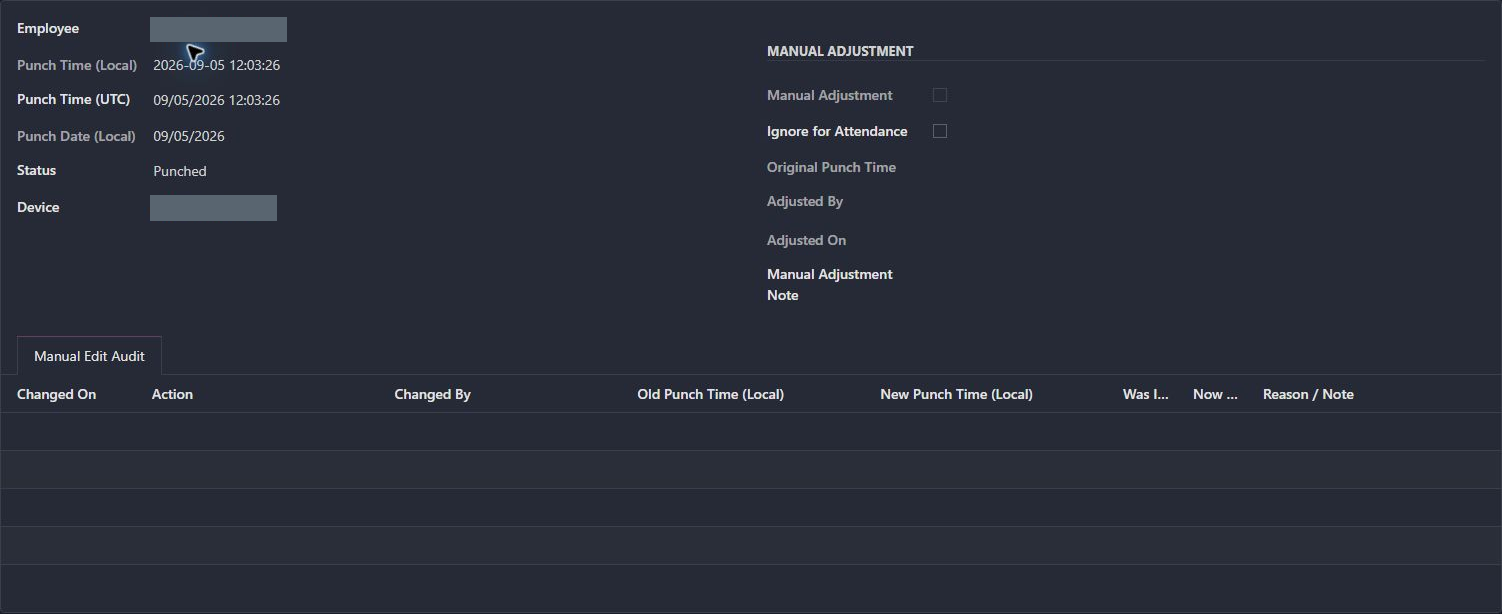
The inspected event is Punched. Its manual-adjustment area is empty and its Manual Edit Audit contains no rows.
The form exposes local and UTC labels, original punch time, adjustment ownership, an ignore flag and reason/note audit columns. This is interface evidence, not a timezone-conversion validation.
Investigate the source event before correcting attendance, and preserve the reason and old/new time when a correction is needed.
The attendance administrator receives an explainable event rather than an unexplained overwritten timestamp.
Device, employee, local time, UTC time, and source status are recorded together.
Shift boundaries, overnight rules, time off, and meal requirements determine how the event should be understood.
Missed punches, anomalies, overlaps, and manual adjustments reach the right supervisor.
Corrections and privacy-sensitive actions remain scoped, reviewable, and connected to their source.
Original-time and audit fields make a later correction explainable.
The form exposes separate treatment for excluding an event and changing its recorded time.
Names and identifying device labels are covered here. The kiosk’s ID and PIN fields remain empty.
Existing records are shown as captured. Private identities are covered or outside the crop. No business records were changed for this collection. Implementation history supports behavior beyond the visible screen; a still image is not an end-to-end test or a measured productivity result.
Substantially extended from an existing commercial biometric integration and standard Odoo attendance, employee, and time-off foundations. Toro’s work is the operating workflow, safeguards, exception handling, and integration hardening described here.
Gives administrators the event history and exception context needed to review attendance and corrections.
Makes device events traceable into the attendance workflow instead of leaving operators with an opaque sync.