The business problem
Connector jobs were moving in the background without a clear operating picture. The dashboard was created as a front door into account health, fulfillment paths, and exception handling.
Moving orders is not enough. Someone needs to know what queued, what shipped, what failed, whether a retry is safe, and which account is affected.
See the real screens ↓Explore 2 real views of this workflow. Select a task, show every screen, or enlarge an image to read the original controls.
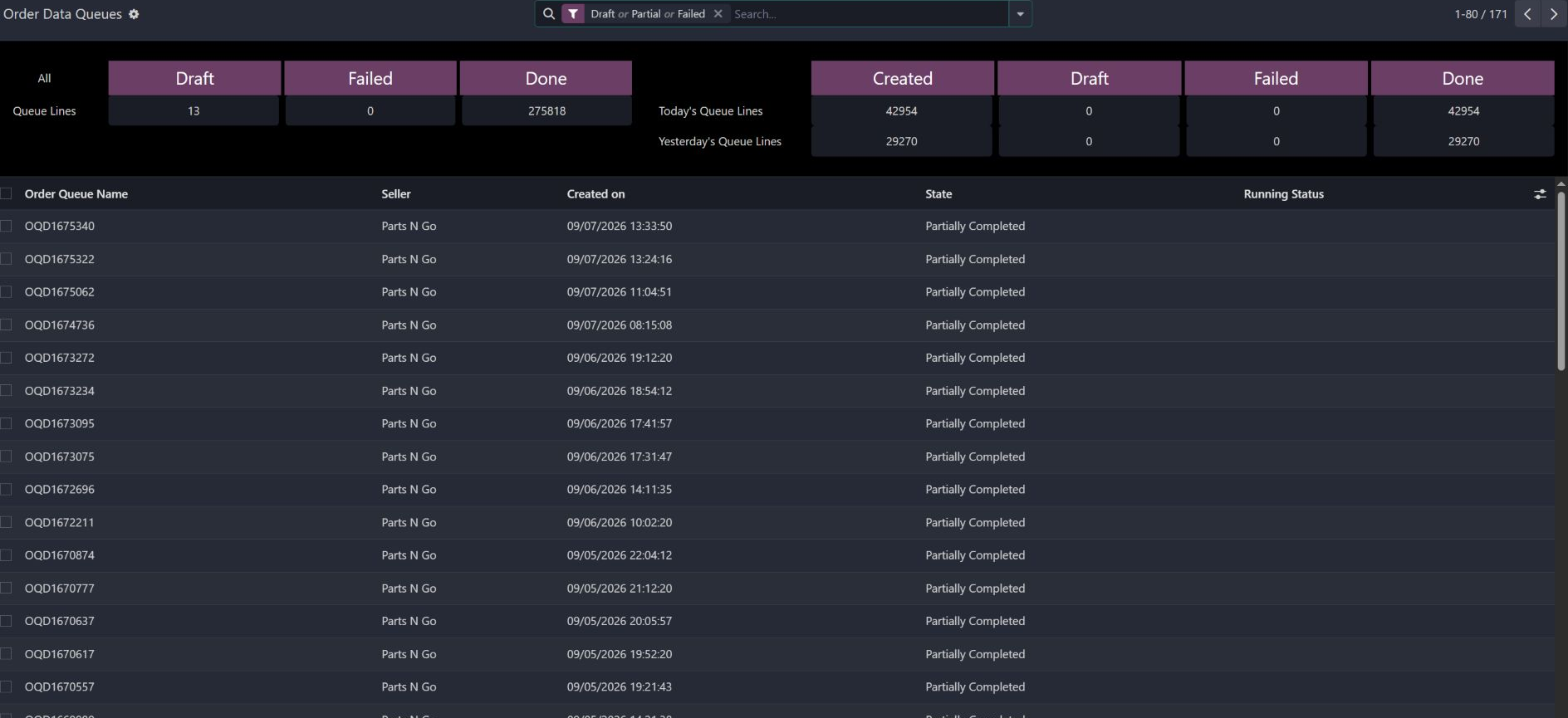
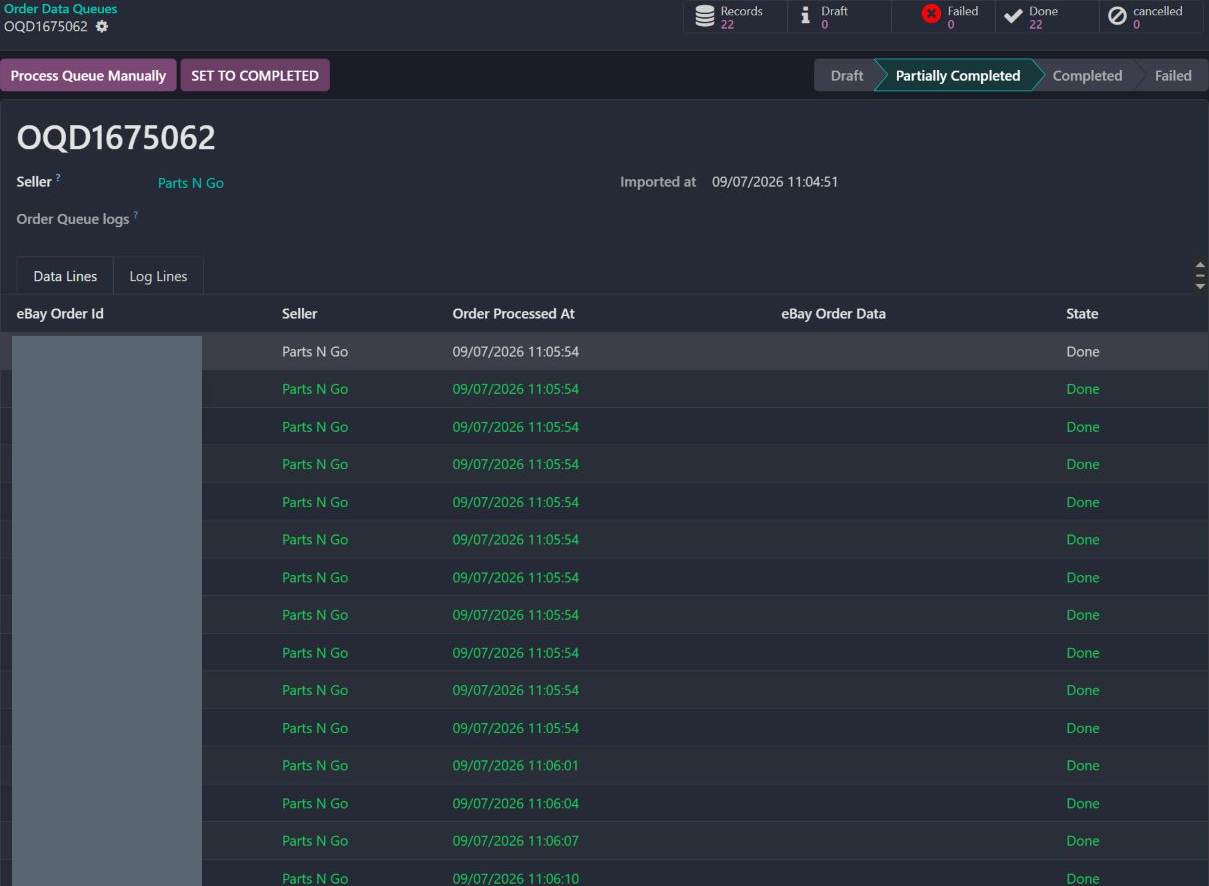
Actual Pro-A-Motors interface captures. Private identities and contact details are covered or outside the crop; screen data has not been replaced.
Connector jobs were moving in the background without a clear operating picture. The dashboard was created as a front door into account health, fulfillment paths, and exception handling.
Operators can move from the queue’s batch status into individual records, processing timestamps and exceptions.
People can see the health of each account, identify what stopped moving, and recover without guessing whether the retry will duplicate work.
The captured batch remains Partially Completed, although its counters show 22 records and 22 Done.
The individual lines have processing timestamps and Done states. The remaining batch state needs investigation; the screenshot does not prove it was resolved.
Read the batch logs and confirm the remaining work before retrying or marking the batch complete.
Support receives the batch reference, line outcomes and processing times needed to investigate.
Products, merchant orders, fulfilled orders, sales, and schedules remain separated by account.
Imports, exports, orders, shipments, tax, and tracking move through observable work units.
The operator can see the account, record, action, and diagnostic information behind the stop.
Idempotency, scoped jobs, and status checks make recovery safer and easier to explain.
The seller and operation should be explicit before execution.
A filtered result can be empty while the connector still has processing history.
Inspect the account, queue and prior state before retrying; the capture does not demonstrate an actual recovery.
Existing records are shown as captured. Private identities are covered or outside the crop. No business records were changed for this collection. Implementation history supports behavior beyond the visible screen; a still image is not an end-to-end test or a measured productivity result.
Hardened and integrated existing commercial marketplace and shipping connectors with standard Odoo sales, product, stock, and delivery foundations. Toro’s work is the cross-connector operating layer, diagnostics, and recovery behavior described here.
Brings marketplace account, order, synchronization, and recovery context into the operating workflow.